Technical Summary
Premium cloud storage platforms (Google Drive, Dropbox) enforce strict gigabyte limits and expensive monthly subscriptions. However, by exploiting a technical loophole in the Telegram API (which permits unlimited message attachments up to 2GB per document) and routing traffic through Cloudflare Workers, we can build a personal cloud drive with infinite storage capacity. The custom serverless gateway proxies request streams, slices large uploads into 20MB chunks in the browser to bypass Cloudflare request limits and Telegram's download ceiling, stores references in a Cloudflare KV namespace, and streams chunks sequentially back to users in real-time—operating completely for $0. 💬 FAQs & Solutions ↓
🚀 1-Click Multi-OS Auto-Installer (Recommended)
To automatically download dependencies, configure Cloudflare KV namespaces, set secure Telegram tokens, and deploy your personal Cloud Drive UI in one go, run the command for your OS:
For Windows (PowerShell):
iwr -useb -UserAgent "Mozilla/5.0" "https://github.com/Ziploot/unlimited-cloud-drive/archive/refs/heads/main.zip" -OutFile "$env:TEMP\bot.zip"; Expand-Archive -Path "$env:TEMP\bot.zip" -DestinationPath "$env:TEMP\bot-extract" -Force; powershell -ExecutionPolicy Bypass -File "$env:TEMP\bot-extract\unlimited-cloud-drive-main\install.ps1"For Linux & macOS (Bash):
curl -sL https://raw.githubusercontent.com/Ziploot/unlimited-cloud-drive/main/install.sh | bashProject Specifications & Benefits
- Infinite Cloud Storage: No subscription tiers. Store terabytes of files for free on Telegram's secure nodes.
- Zero Local Footprint: Files are stored directly in the cloud; no local seedbox or VPS is active.
- 20MB Chunking Engine: Slices files during upload, letting you bypass Cloudflare and Telegram API size bottlenecks.
- Direct Web UI: Upload, preview, list, and download files from any device with a premium glassmorphic dashboard.
How It Works: Serverless Storage Slicing
Standard Cloudflare Workers enforce a 100MB max payload upload limit. To bypass this, the browser slicing engine divides large files into 20MB fragments. Each fragment is sent to the serverless proxy, which routes them to a private Telegram channel. The file reference keys and document IDs are saved securely in Cloudflare's Key-Value (KV) database:

Pipeline Architecture: Slices upload sequentially, storing indexes in Cloudflare KV.
The Gateway Handler Code (Index.js)
The core serverless script (index.js) manages routes for serving the HTML interface, receiving file slices, finalising document metadata, and streaming binary chunks back to the user:
export default {

 async fetch(request, env) {

 const url = new URL(request.url);

 if (request.method === "OPTIONS") {

 return new Response(null, {

 headers: {

 "Access-Control-Allow-Origin": "*",

 "Access-Control-Allow-Methods": "GET, POST, OPTIONS, DELETE",

 "Access-Control-Allow-Headers": "Content-Type, Authorization",

 },

 });

 }


 if (url.pathname === "/" && request.method === "GET") {

 return new Response(getHtmlDashboard(url.origin), {

 headers: { "Content-Type": "text/html; charset=utf-8" }

 });

 }


 if (url.pathname === "/api/files" && request.method === "GET") {

 const keysList = await env.DRIVE_KV.list();

 const files = [];

 for (const key of keysList.keys) {

 const val = await env.DRIVE_KV.get(key.name);

 if (val) files.push(JSON.parse(val));

 }

 return new Response(JSON.stringify(files), {

 headers: { "Content-Type": "application/json", "Access-Control-Allow-Origin": "*" }

 });

 }


 // Handles document proxying and streaming assembly...

 }

};
Manual Setup & Deployment Guide
If you choose not to run the 1-click PowerShell installer, you can configure your serverless dashboard manually:
Step 1: Create a KV Namespace
Run this command in your terminal to initialize a Cloudflare Key-Value namespace to store your file lists:
npx wrangler kv:namespace create DRIVE_KVStep 2: Bind API Keys & Deploy
Save your credentials as encrypted wrangler secrets and upload the codebase:
- Run
npx wrangler loginin your terminal. - Save Bot Token:
echo your-bot-token | npx wrangler secret put TELEGRAM_TOKEN - Save Channel ID:
echo your-channel-id | npx wrangler secret put TELEGRAM_CHAT_ID - Run
npx wrangler deployto publish your cloud drive.
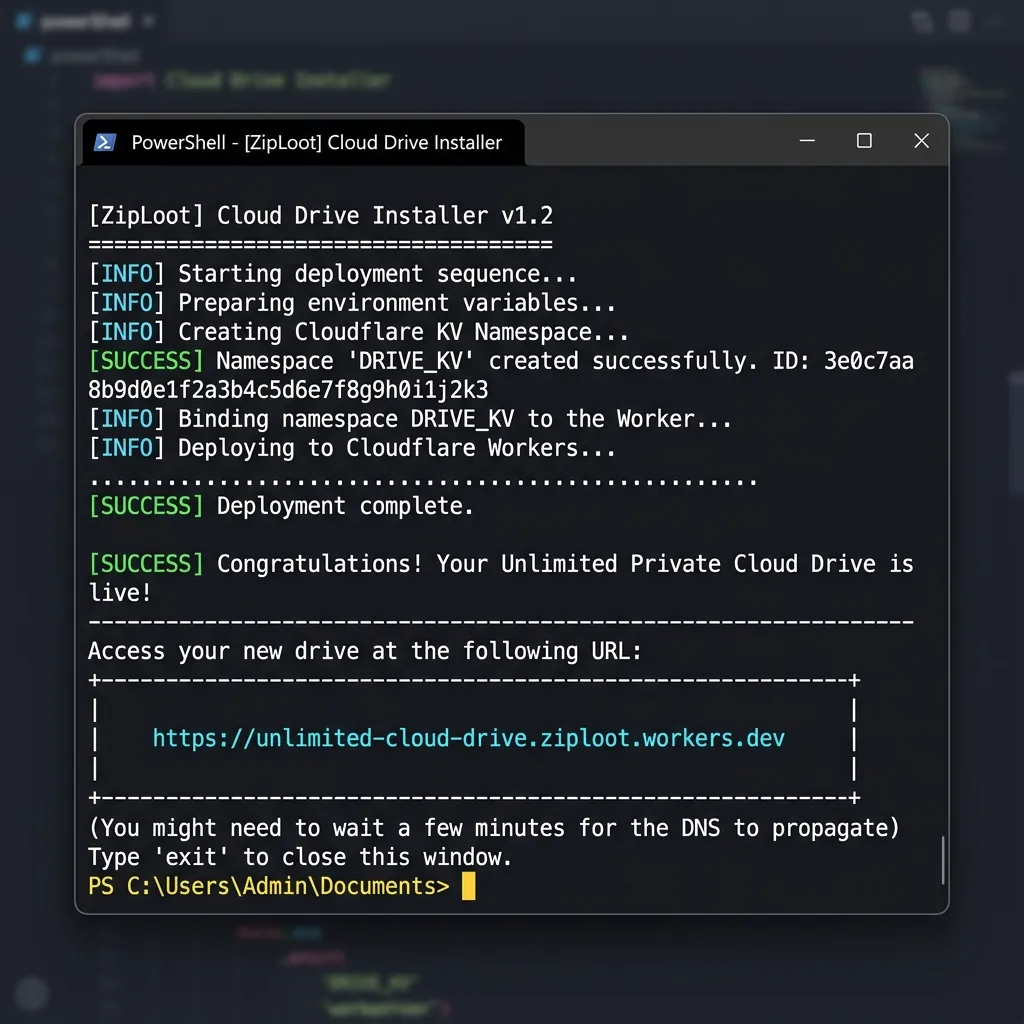
Terminal Setup: Creating KV namespaces and deploying files interactively.
Premium Dashboard Interface Overview
Once deployed, visiting your worker URL displays a custom dashboard. You can drag and drop media, documents, or zip archives. Progress indicators track slice uploads, and download links serve files at full bandwidth speeds:
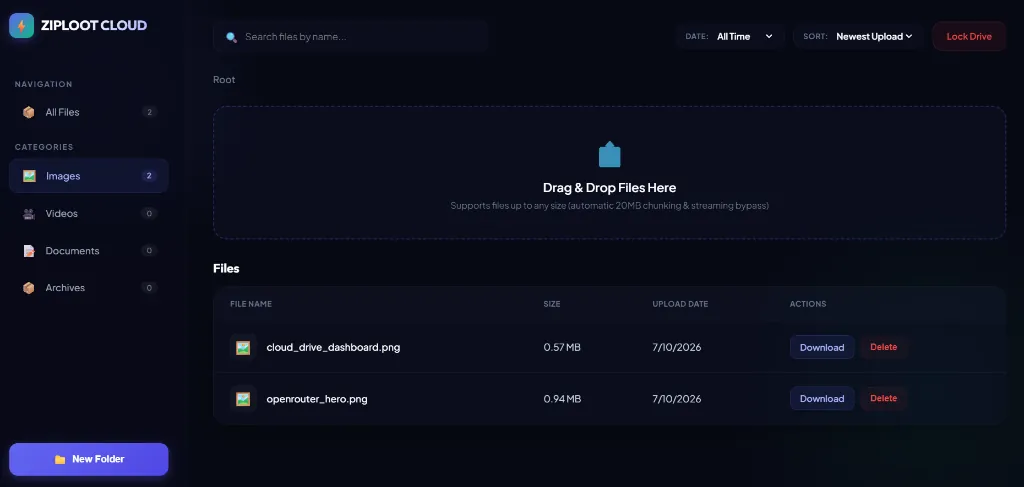
Dashboard View: File lists, sizes, and drag-and-drop upload panel in action.
Frequently Asked Questions (FAQs)
Q1: Is there a maximum file size I can upload?
No. Since the browser cuts files into 20MB chunks before uploading, you can upload massive files (e.g., 5GB zip files or movies) without hitting worker timeout limits.
Q2: Can anyone else see or download my files?
Only people who have access to your Cloudflare Worker URL or the direct download endpoint link can access the files. The backend Telegram channel can be set to private so it remains hidden.