Technical Summary
Running Large Language Models (LLMs) typically requires dedicated GPU instances with massive VRAM allocations. However, by deploying highly quantized small models (under 2 billion parameters) and configuring an optimized swap partition on your operating system, you can host local LLMs on a 1GB RAM Free Tier VPS (such as AWS EC2 t2.micro, Google Cloud e2-micro, or Oracle Cloud Free Tier). This guide demonstrates how to install Ollama, configure a swap space, deploy Qwen 2.5 Coder 1.5B or TinyLlama 1.1B, and serve a private REST API endpoint for $0. 💬 FAQs & Solutions ↓
Target Specifications & Project Requirements
- Hardware Target: Any 1 Core CPU VPS with 1 GB RAM (Ubuntu 22.04 LTS recommended).
- Quantized Model Execution: Run 4-bit quantized (GGUF) models like Qwen 2.5 Coder 1.5B (approx. 900MB memory footprint).
- Swap File Allocation: Configure a 2 GB virtual swap partition to prevent Out-Of-Memory (OOM) kernel crashes.
- Secure Remote API: Bind the API listener securely to handle request routing without exposing raw ports.
Architecture: LLM Execution on Low-Memory Compute
By offloading less-frequently accessed layers of the model weights from the active system RAM into the swap space on the SSD disk, the Linux kernel keeps the active execution contexts inside the physical RAM without crashing the process:
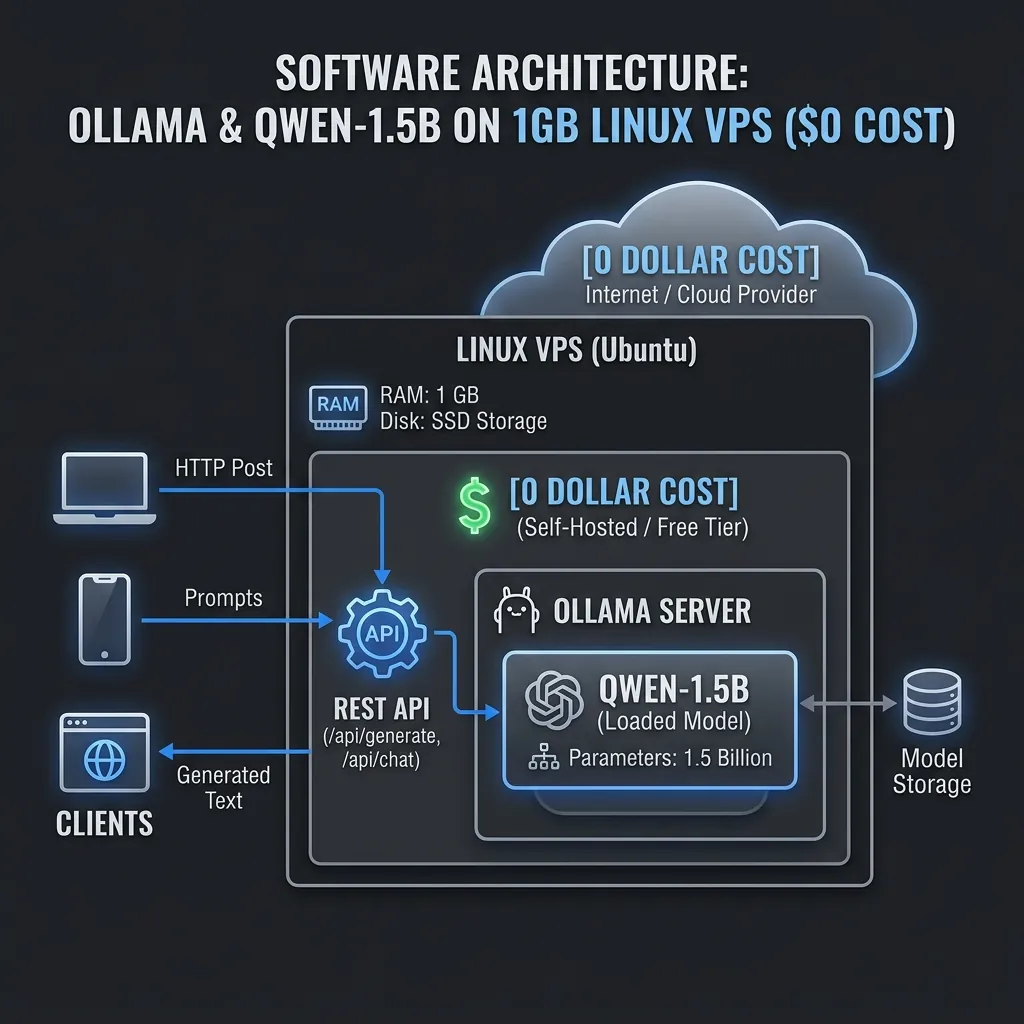
Low-memory system design using virtual swap memory pages to run quantized GGUF weights.
Step 1: Creating a 2GB Swap Space to Prevent Crashes
If you try to run an LLM on 1GB of RAM, the kernel's Out-Of-Memory (OOM) killer will immediately terminate the process. Run the following terminal commands to create and mount a 2 GB swap partition:
Allocate and configure swap memory:
# Create a 2GB blank file

sudo fallocate -l 2G /swapfile


# Set read/write root-only permissions

sudo chmod 600 /swapfile


# Format the file as Swap Space

sudo mkswap /swapfile


# Enable the swap partition

sudo swapon /swapfile


# Make the configuration permanent across system reboots

echo '/swapfile none swap sw 0 0' | sudo tee -a /etc/fstab
Verify that the swap space is active using the memory utility command:
free -m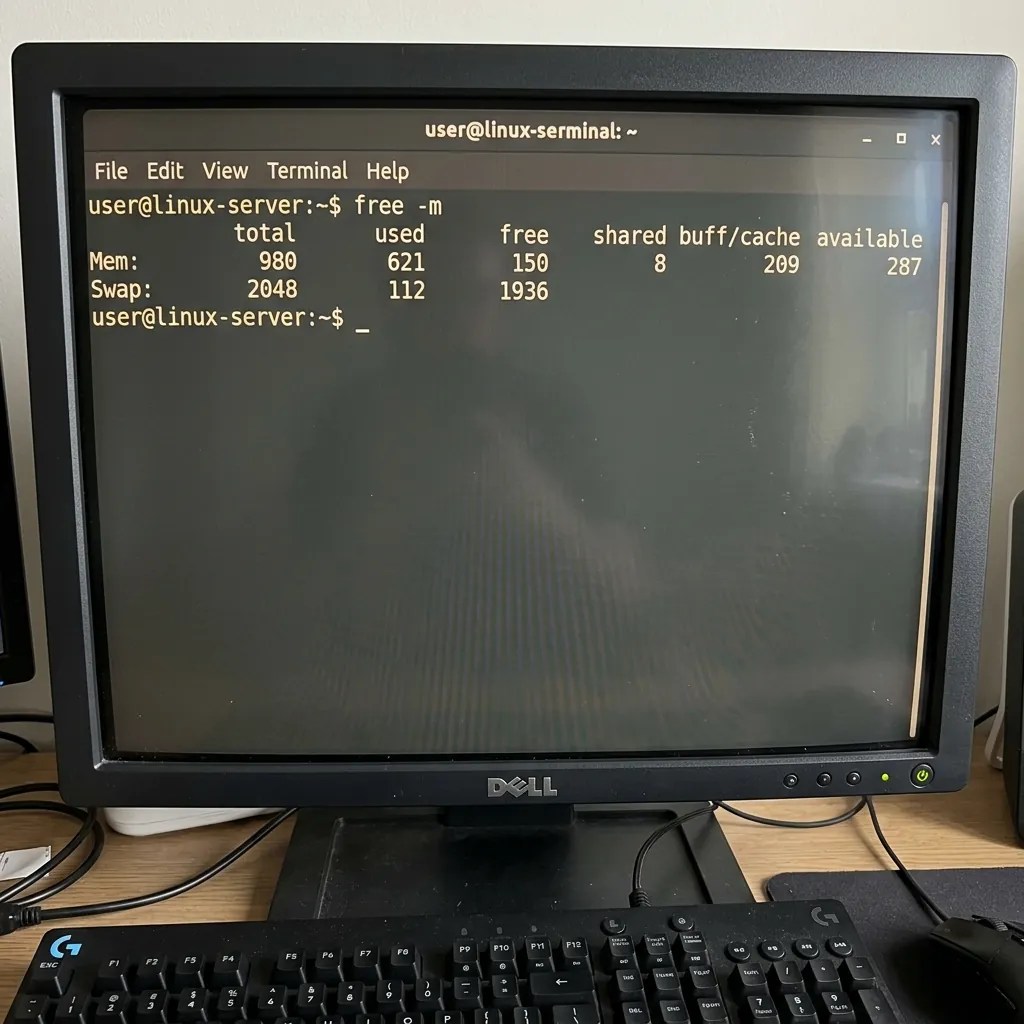
Terminal showing 2GB swap space mounted alongside physical system RAM.
Step 2: Installing Ollama on the Linux Server
Install the official Ollama execution binary using the automatic setup script:
curl -fsSL https://ollama.com/install.sh | shStep 3: Pulling and Deploying Qwen 2.5 Coder 1.5B
We will deploy the highly performant Qwen 2.5 Coder 1.5B model, which consumes roughly 900MB of RAM. Start the model execution in CLI mode:
ollama run qwen2.5-coder:1.5b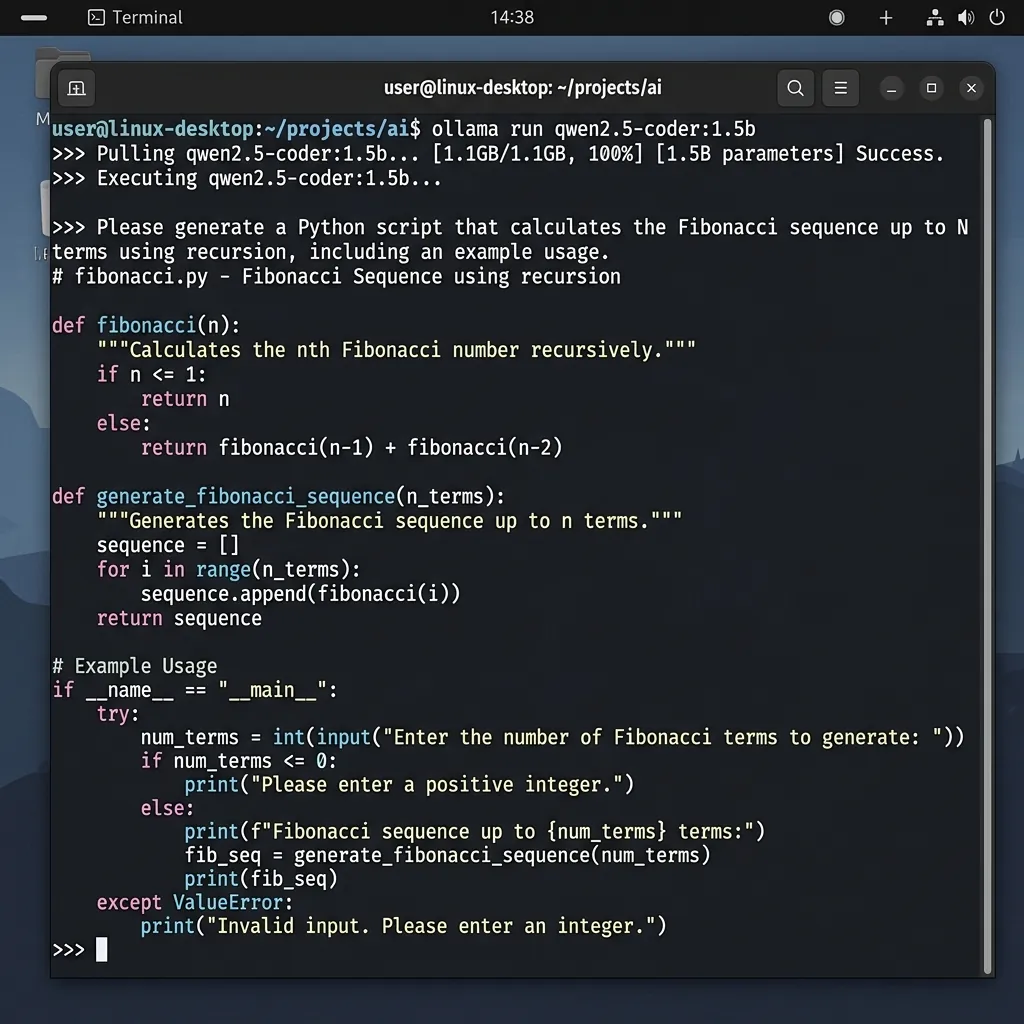
Terminal showing Qwen-1.5B running on low-resource CPU VPS and returning answers.
Step 4: Exposing and Querying the REST API via cURL
By default, Ollama binds only to 127.0.0.1:11434. To expose the API server to the internet, modify the systemd configuration file:
Bind host to all interfaces:
# Edit service configurations

sudo systemctl edit ollama.service
Paste the environment override directives below inside the editor:
[Service]

Environment="OLLAMA_HOST=0.0.0.0"
Reload service configurations and restart the systemd service:
sudo systemctl daemon-reload

sudo systemctl restart ollama
Test your remote endpoint using cURL from your local computer:
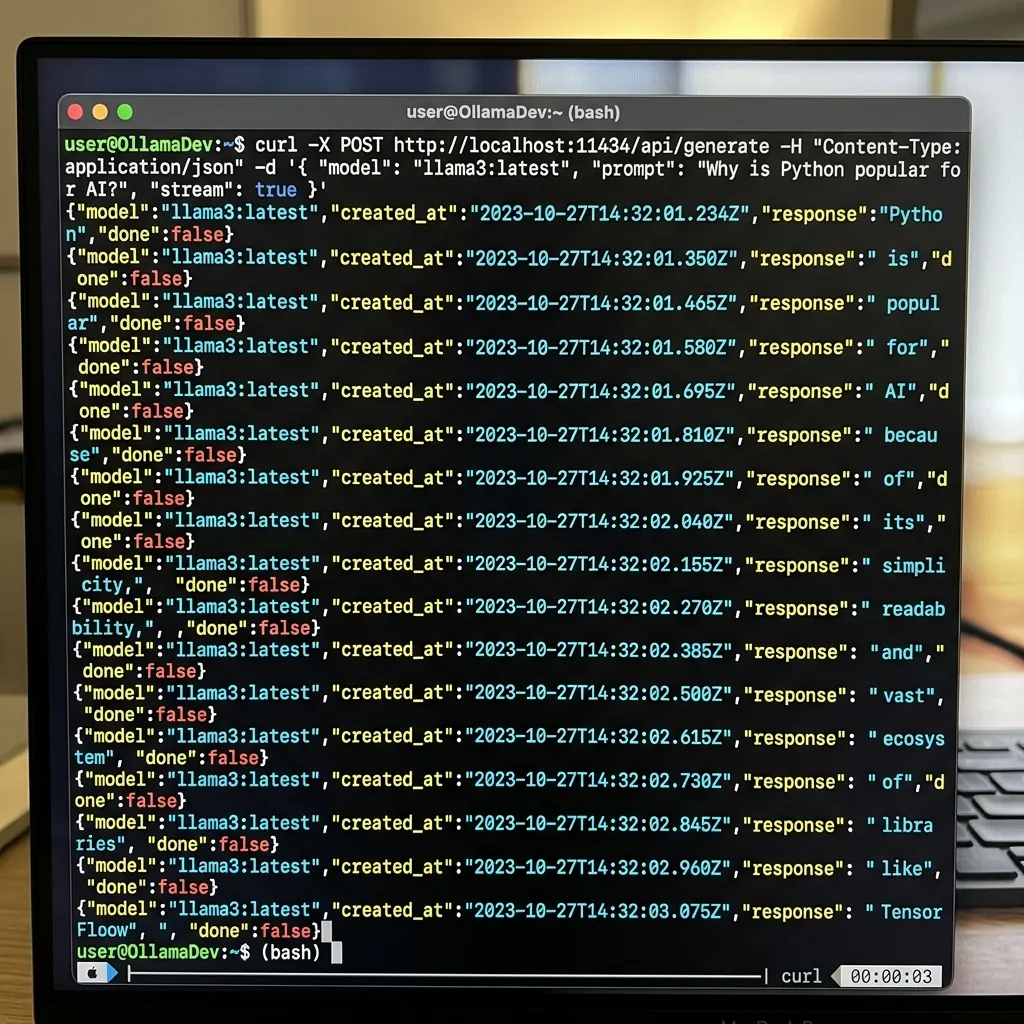
Querying the VPS Ollama REST API and streaming the JSON response.
curl -X POST http://[YOUR_VPS_IP]:11434/api/generate -d '{

 "model": "qwen2.5-coder:1.5b",

 "prompt": "Write a quicksort in JavaScript",

 "stream": false

}'
Model Resource & Speed Metrics on CPU VPS
| Model Name | RAM Consumption | Token Output Speed | Quantization Level |
|---|---|---|---|
| Qwen 2.5 Coder 1.5B | ~980 MB | 12 - 15 tokens/sec | Q4_K_M (4-bit) |
| TinyLlama 1.1B | ~680 MB | 18 - 22 tokens/sec | Q4_K_M (4-bit) |
| Llama 3.2 1B | ~740 MB | 14 - 18 tokens/sec | Q4_K_M (4-bit) |
Frequently Asked Questions (FAQs)
Why configure a Swap File instead of scaling up VPS specs?
Scaling up VPS instances incurs high cloud hosting charges. Using a swap partition allocates SSD space as temporary virtual RAM, allowing LLMs to execute on a free 1GB VPS without paying monthly fees.
Can I run a 7B model (like Llama 3) on a 1GB VPS?
No. Quantized 7B models require at least 4.5GB of memory. While swap files can bypass limits, running 7B models on 1GB VPS causes extremely high swap thrashing, resulting in output latency below 0.1 tokens/sec.
Final Verdict
By combining Ollama with highly optimized 1.5B parameters quantized models and allocating a 2GB swap partition, you can run private, fully local REST LLM endpoints on free compute hardware for $0.
Disclaimer: This article is strictly for educational purposes and does not constitute technical or financial advice. Always adhere to platform usage terms.