Technical Summary
While Vercel and Netlify excel at hosting static frontends and serverless Jamstack apps, long-running backend services—such as WebSockets, Express.js APIs, Python FastAPI microservices, and custom Docker containers—require dedicated runtime servers. Render and Railway provide the two best free-tier backend infrastructure platforms for cloud developers. Render offers a permanent 512 MB RAM Free Web Service, while Railway offers 500 monthly execution hours with instant GitHub CI/CD integration and zero credit card requirements. 💬 FAQs & Solutions ↓
Platform Specifications & Limits
- Render Free Web Service: 512 MB RAM, 0.1 vCPU, 750 free instance hours per month, custom domains, and automatic TLS SSL.
- Railway Starter Tier: $5 monthly execution credit, 500 execution hours, 512 MB RAM, 1 GB disk, and automatic Dockerfile detection.
- No Credit Card Required: Sign up using your GitHub or GitLab account.
- Automatic Git CI/CD: Triggers container rebuilds automatically on
git push main.
Full-Stack Cloud Architecture Overview
Modern web applications separate static frontend presentation from backend logic and databases. Here is how Render and Railway integrate into a production full-stack setup:
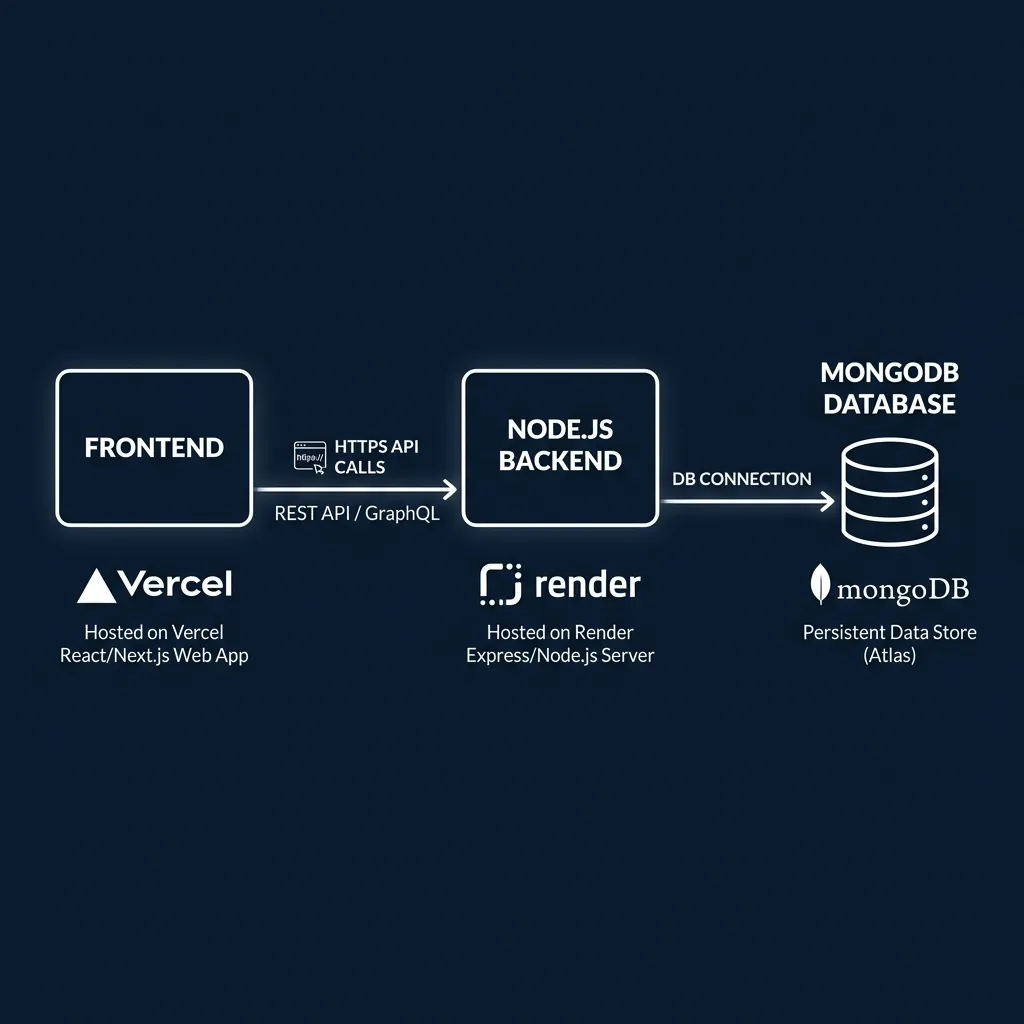
Decoupled full-stack architecture: Vercel (Frontend) → Render/Railway (Backend API) → Cloud Database.
Deploying Node.js & Python APIs on Render ($0)
Deploying a repository on Render takes less than 2 minutes via GitHub integration:
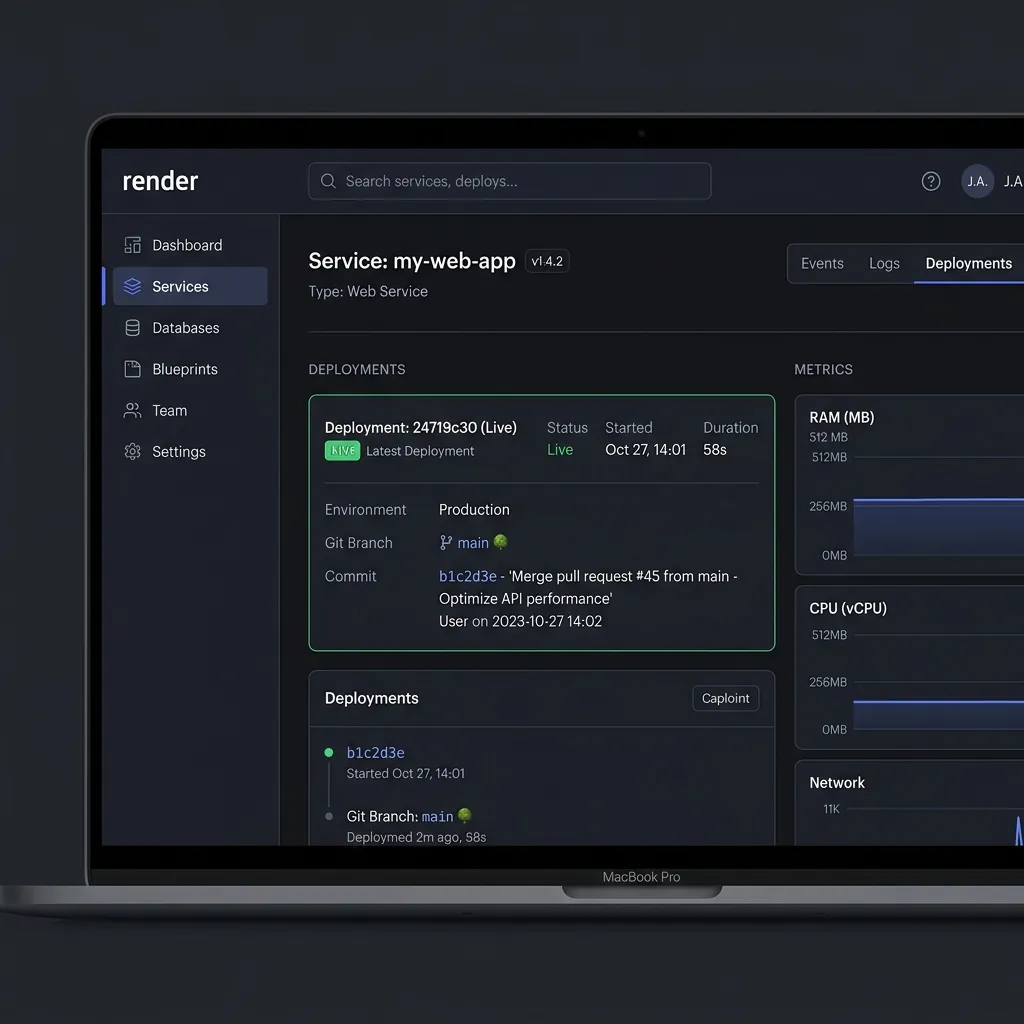
Render dashboard Web Service configuration showing 512MB Free Instance type.
- Go to Render Platform Dashboard and log in with GitHub.
- Click New + and select Web Service.
- Connect your GitHub backend repository (Node.js, Python, or Go).
- Set the build command:
npm install(for Node) orpip install -r requirements.txt(for Python). - Set start command:
npm startoruvicorn main:app --host 0.0.0.0 --port 10000. - Select the Free tier (512 MB RAM) and click Create Web Service.
Preventing Render Cold Starts (Uptime Ping Workaround)
On the free tier, Render spins down web services after 15 minutes of zero HTTP traffic. The next incoming request will experience a 30-second cold start latency while the container boots.
Engineering Workaround:
Register a free HTTP monitor on UptimeRobot.com or Cron-Job.org and set it to send an HTTP GET ping to your Render endpoint (https://your-api.onrender.com/health) every 14 minutes. This keeps your free container active 24/7 with zero cold starts!
Deploying Custom Docker Containers on Railway
For applications requiring custom system packages, FFmpeg, or Redis, Railway automatically builds and deploys your repository using your project's Dockerfile:

Railway visual deployment canvas with environment variables and connected database nodes.
Sample Production Dockerfile
FROM node:18-alpine

WORKDIR /app

COPY package*.json ./

RUN npm install --production

COPY . .

EXPOSE 3000

CMD ["npm", "start"]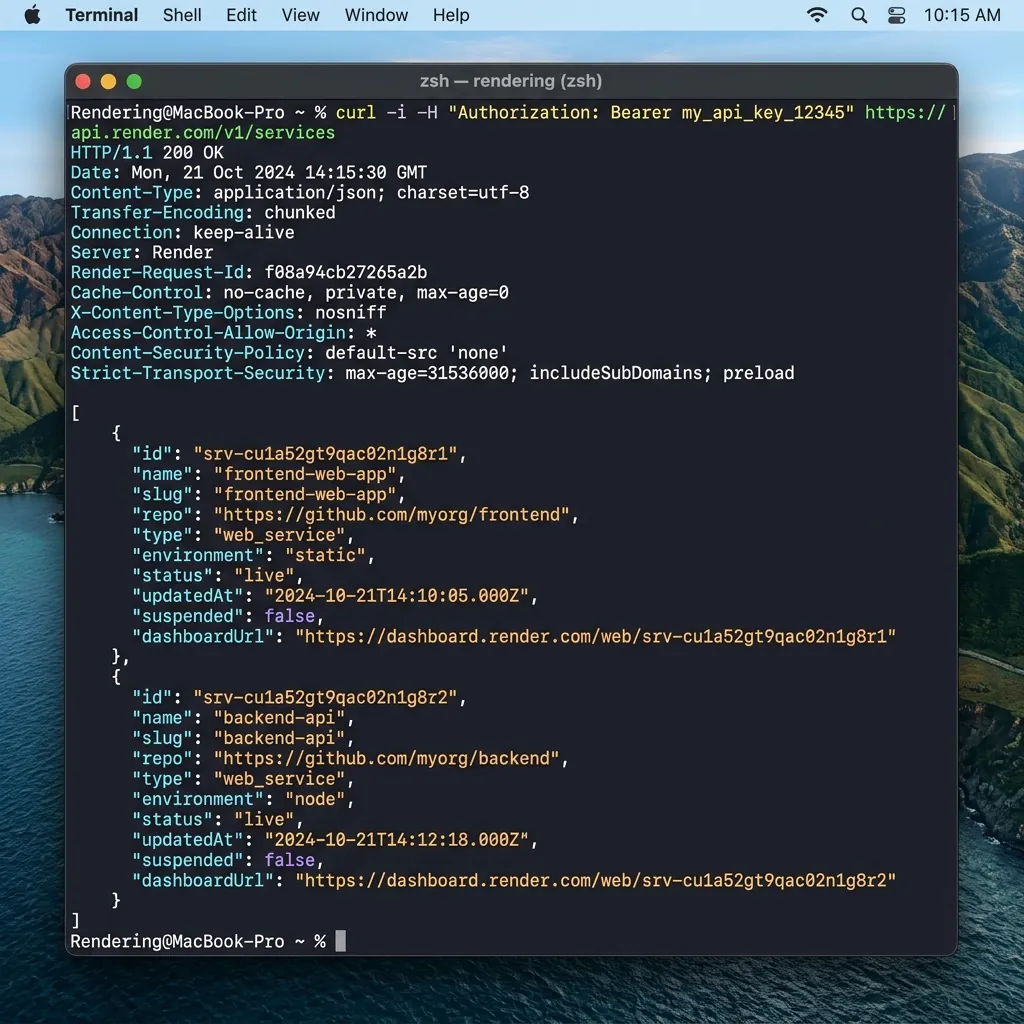
Terminal verification testing live endpoint response from Render/Railway backend.
Render vs. Railway vs. Fly.io Spec Comparison
| Feature | Render Free Web Service | Railway Starter | Fly.io Free Tier |
|---|---|---|---|
| RAM Allocation | 512 MB | 512 MB Shared | 256 MB Shared |
| Credit Card Required? | NO | NO | YES |
| Docker Support | Native Dockerfile | Native Dockerfile | Native Dockerfile |
| Free Bandwidth | 100 GB / Month | 100 GB / Month | 160 GB / Month |
Frequently Asked Questions (FAQs)
Can I run WebSockets or Socket.io on Render free tier?
Yes. Render Web Services support persistent HTTP/1.1 and HTTP/2 WebSocket connections natively without additional configuration.
Can I add a custom domain (e.g. api.myportfolio.com)?
Yes. Render and Railway both allow adding custom domains with free automatic Let's Encrypt SSL certificate issuance.
Engineering Verdict
Pairing Vercel for frontend rendering with Render or Railway for Node.js/Python backend services gives you a enterprise-grade full-stack architecture for $0/month. Deploy your API today to experience zero-cost backend hosting.
Disclaimer: This article is strictly for educational purposes and does not constitute technical or financial advice. Always follow cloud hosting provider terms of service.