Quick Summary
Following the massive success of Grass DePIN, Gradient Network has emerged as the most viral decentralized AI infrastructure protocol on Solana in 2026. Backed by top-tier venture firms including Pantera Capital and Multicoin Capital, Gradient enables users to monetize unused network compute and bandwidth by running a lightweight Sentry Node. By participating early in the Sentry Node network, users accumulate EXP points that will directly convert into governance tokens during the upcoming Token Generation Event (TGE). This complete guide walks you through setting up your node in under 2 minutes or running it 24/7 on a free VPS server.
Key Takeaways
- Tier 1 Institutional Backing: Funded by Pantera Capital, Multicoin Capital, and Sequoia China.
- 100% Passive Earning: Earn continuous EXP points just by keeping your browser or VPS connected.
- Solana Ecosystem: Built on high-speed Solana architecture with confirmed token allocation for early nodes.
- 24/7 Free VPS Trick: Deploy on Oracle Cloud or AWS free servers for zero hardware cost.
What is Gradient Network?
Gradient Network is an open decentralized intelligence protocol built on the Solana blockchain. It creates a global peer-to-peer compute layer that connects idle consumer bandwidth and processing power to AI developers and enterprise machine learning workloads.
By decentralizing cloud connectivity, Gradient solves the severe bandwidth bottleneck currently facing global AI inference models. As a node operator, you act as a Sentry in this network, routing encrypted, privacy-preserved verification pings while accumulating high-value EXP points.
How Sentry Nodes Work & EXP Earnings
Sentry Nodes are the foundational building blocks of Gradient's infrastructure. They perform minimal ping tests to verify global network latency and uptime without slowing down your internet or accessing personal data.
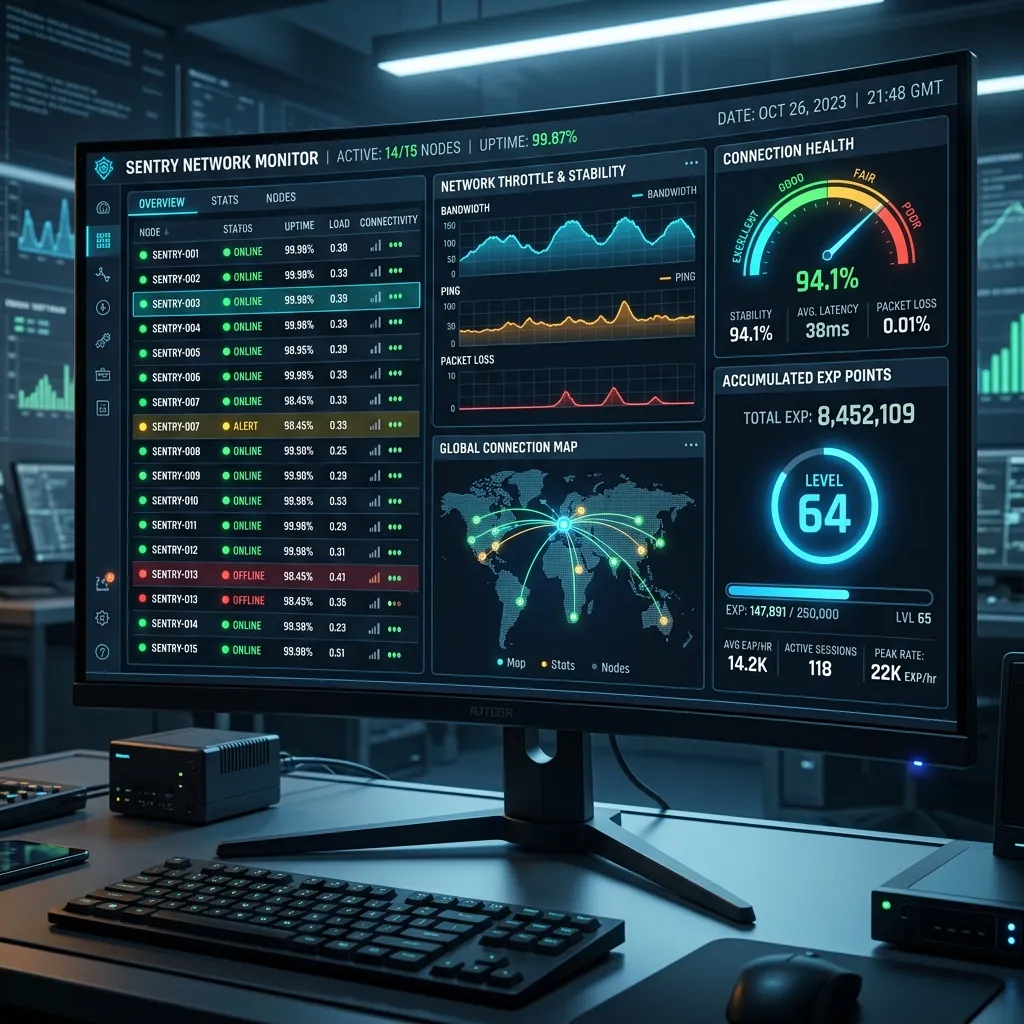
Gradient Sentry Node dashboard tracking connection status and EXP multipliers.
- Uptime Streak: Keeping your node online continuously increases your base multiplier (up to 2.0x).
- Network Connectivity: High NAT quality and clean residential IPs generate maximum EXP per hour.
- Referral Boosts: Earn tier-based referral bonuses when friends register through your link.
Step-by-Step Registration & Bonus EXP Claim
Follow these exact steps to register and receive your initial bonus EXP points:
Step 1: Open the Official Portal
Go to the official registration page: Gradient Network App Portal.
Step 2: Sign Up & Enter Invite Code
Enter your email address and choose a strong password. If prompted for a referral code, use an official early access code to unlock an instant 3,000 EXP bonus on signup.
Step 3: Verify Your Email & Connect Wallet
Open your email inbox and click the verification link. Next, connect a Solana wallet (Phantom or Solflare) to bind your future token allocation to your account address.
Installing the Sentry Node Extension
Once your account is created, you need to install the Chrome Extension to start farming points:
- Go to the Chrome Web Store and search for Gradient Sentry Node.
- Click Add to Chrome (or Brave / Edge / Kiwi Browser).
- Click on the extension icon in your browser toolbar and log in with your account credentials.
- You will see a green "Connected" status badge. Your node is now earning passive points automatically in the background!
Pro Trick: Running Sentry Node 24/7 on Free VPS
Leaving your personal PC turned on 24/7 consumes electricity. The smartest way to maximize your EXP multiplier is to run the node on an Always Free VPS server (such as Oracle Cloud Free Tier or AWS EC2):

VPS environment setup for 24/7 uninterrupted DePIN node farming.
Setup Guide for Linux / VPS:
1. Connect to your Ubuntu VPS via SSH.
2. Install a headless chromium or Docker browser container:
sudo apt update && sudo apt install -y docker.io

sudo systemctl start docker
3. Run the Gradient Sentry Node Docker image or headless browser daemon in background mode. This guarantees 100% uptime with zero electricity cost on your home computer.
Token Generation Event (TGE) Outlook
With Pantera Capital and Multicoin Capital leading investment rounds, Gradient is projected to launch its token in late 2026. Similar to previous Solana DePIN protocols where early node operators received thousands of dollars in tokens, maintaining a high EXP score now is critical for tier 1 allocation.

Token reward distribution allocation for early Sentry Node participants.
Frequently Asked Questions (FAQs)
Does Gradient Sentry Node slow down my internet connection?
No. Sentry Nodes only consume micro-bytes of data for latency verification. It does not affect your gaming, streaming, or browsing speeds.
Can I run Gradient on multiple devices?
Yes, but each device must be connected to a different public IP address or residential network for maximum EXP generation.
Is running Gradient Sentry Node safe?
Yes. The extension operates in a sandboxed browser environment and does not access your local files, personal browsing history, or private keys.
Final Verdict
DePIN nodes represent one of the highest ROI crypto opportunities because they require zero capital investment. Register your node today, keep it running, and accumulate EXP points before the network snapshot.
Disclaimer: This article is strictly for educational purposes and does not constitute financial, investment, or technical advice. Always do your own research before connecting web3 wallets.