Technical & Financial Summary
Paying Google Workspace or Microsoft 365 $6 to $12 per user every month ($72+/year) just to have a branded email address (like admin@yourdomain.com) is an unnecessary expense for independent developers and startups. In this guide, we provide two 100% free production-tested methods: setting up Zoho Mail Forever Free Tier (5 custom user inboxes with 5GB storage each) and configuring Cloudflare Email Routing directly to your personal Gmail inbox for $0. 💬 FAQs & Solutions ↓
Free Custom Email Specifications
- Zoho Forever Free Plan: Up to 5 custom domain users, 5 GB storage per user, webmail access, and mobile apps.
- Cloudflare Email Routing: Unlimited custom address aliases (e.g.
info@,support@) forwarded directly to Gmail. - Full Security Compliance: Configured with SPF, DKIM, and DMARC TXT records to prevent inbox spam placement.
- Send & Receive via Gmail: Configure Gmail's native "Send Mail As" SMTP feature for $0.
Custom Domain Email Routing Architecture
When an email is sent to your custom domain, DNS MX records route the message through secure mail servers into your target inbox:
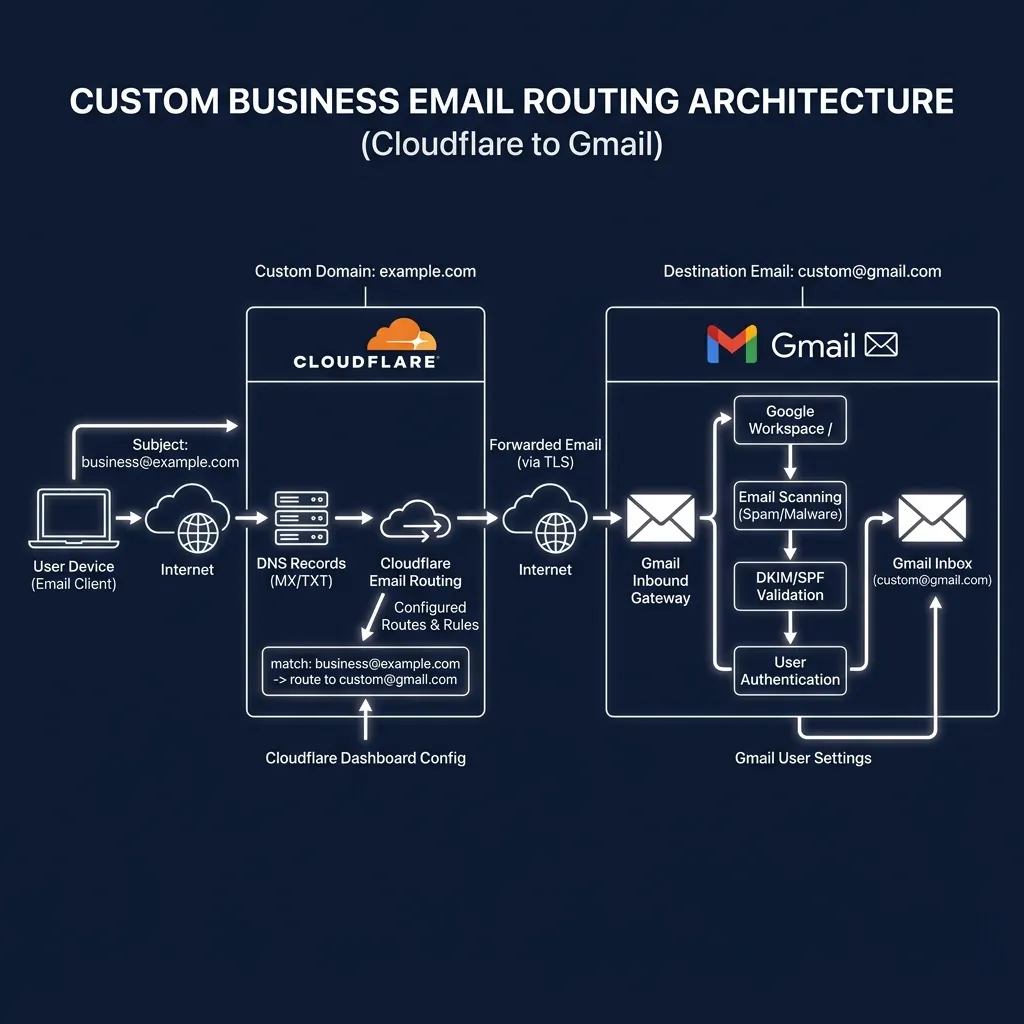
Custom domain email infrastructure routing through DNS records into target mail servers.
Method 1: Zoho Mail Forever Free Plan Setup (5 Users)
Zoho provides a genuine Forever Free Plan that supports 5 custom domain accounts with 5 GB inbox storage each:
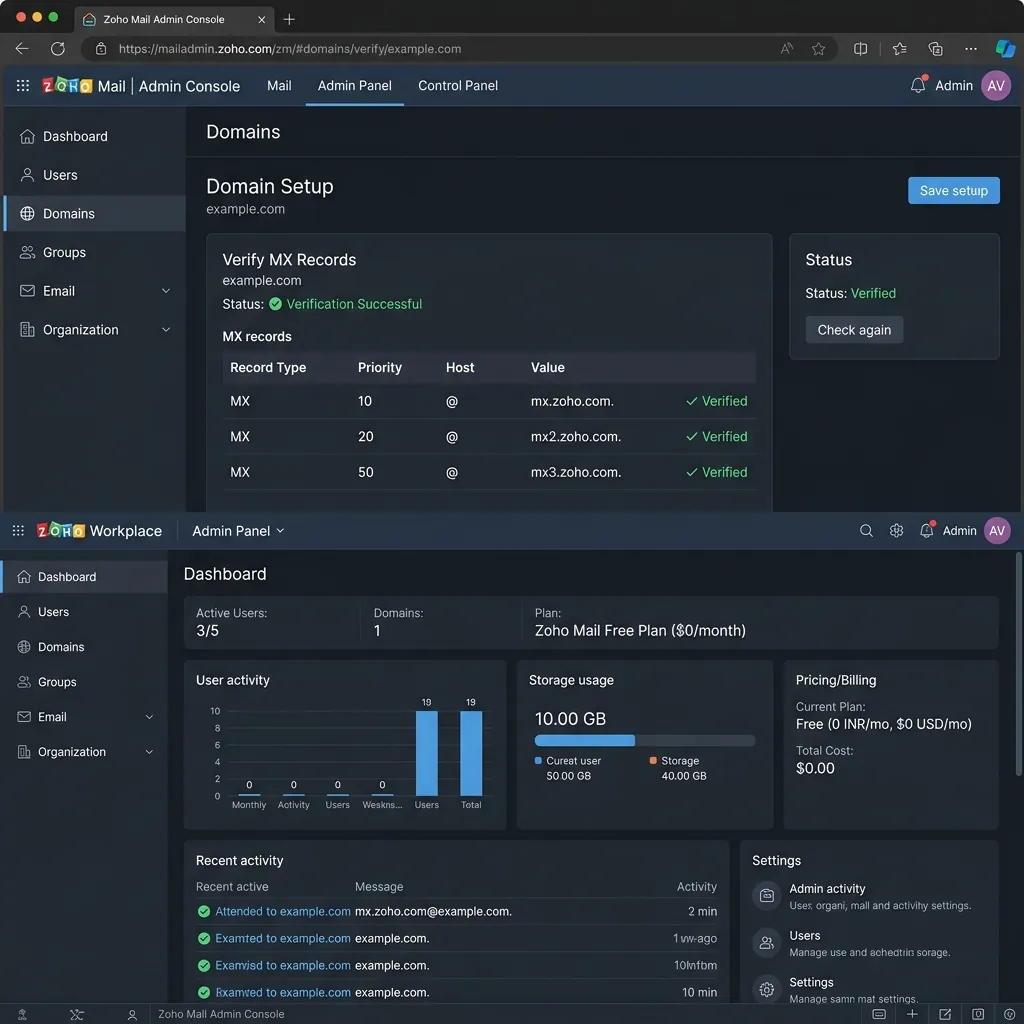
Zoho Mail admin console verifying custom domain ownership and MX records.
- Go to Zoho Mail Forever Free Plan Page and scroll to the bottom to select Forever Free Plan.
- Enter your custom domain name (e.g.
yourdomain.comoryourname.is-a.dev). - Verify domain ownership by adding the provided TXT record to your DNS manager.
- Add Zoho's 3 official MX records to your DNS settings:
Zoho Official MX Records:
- MX | Priority 10 | mx.zoho.com
- MX | Priority 20 | mx2.zoho.com
- MX | Priority 50 | mx3.zoho.com
Method 2: Cloudflare Email Routing + Gmail Setup
If you want to receive all custom domain emails directly inside your personal Gmail inbox without creating new accounts:
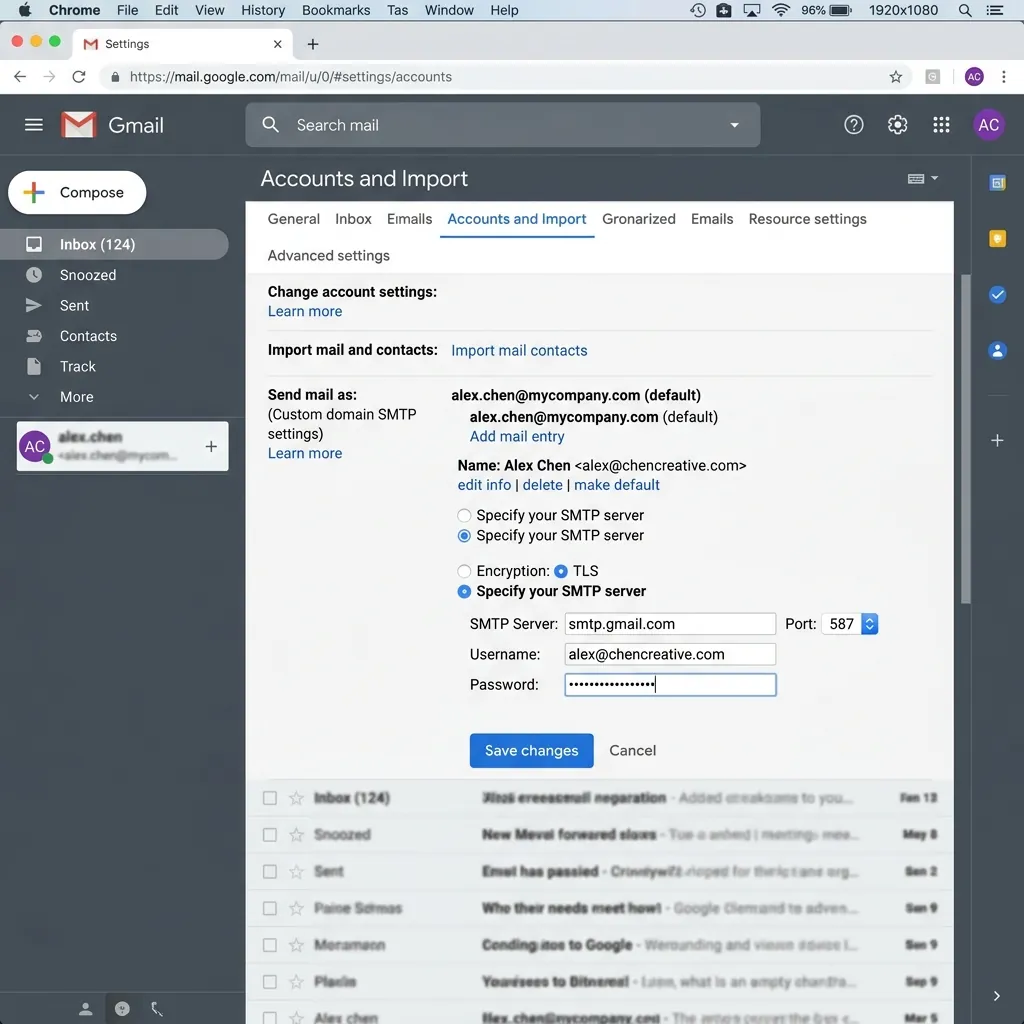
Gmail "Send mail as" configuration panel using custom domain credentials.
- Open Cloudflare Dashboard > Select Domain > Email Routing.
- Click Enable Email Routing. Cloudflare auto-configures your MX records.
- Create a Routing Rule:
admin@yourdomain.com→yourpersonal@gmail.com. - To send emails from Gmail using your custom domain, go to Gmail Settings > Accounts and Import > Send mail as and add your custom address.
Configuring Essential DNS Security Records (SPF, DKIM, DMARC)
To ensure your outgoing emails land in the primary inbox rather than the spam folder, add these 3 authentication TXT records:
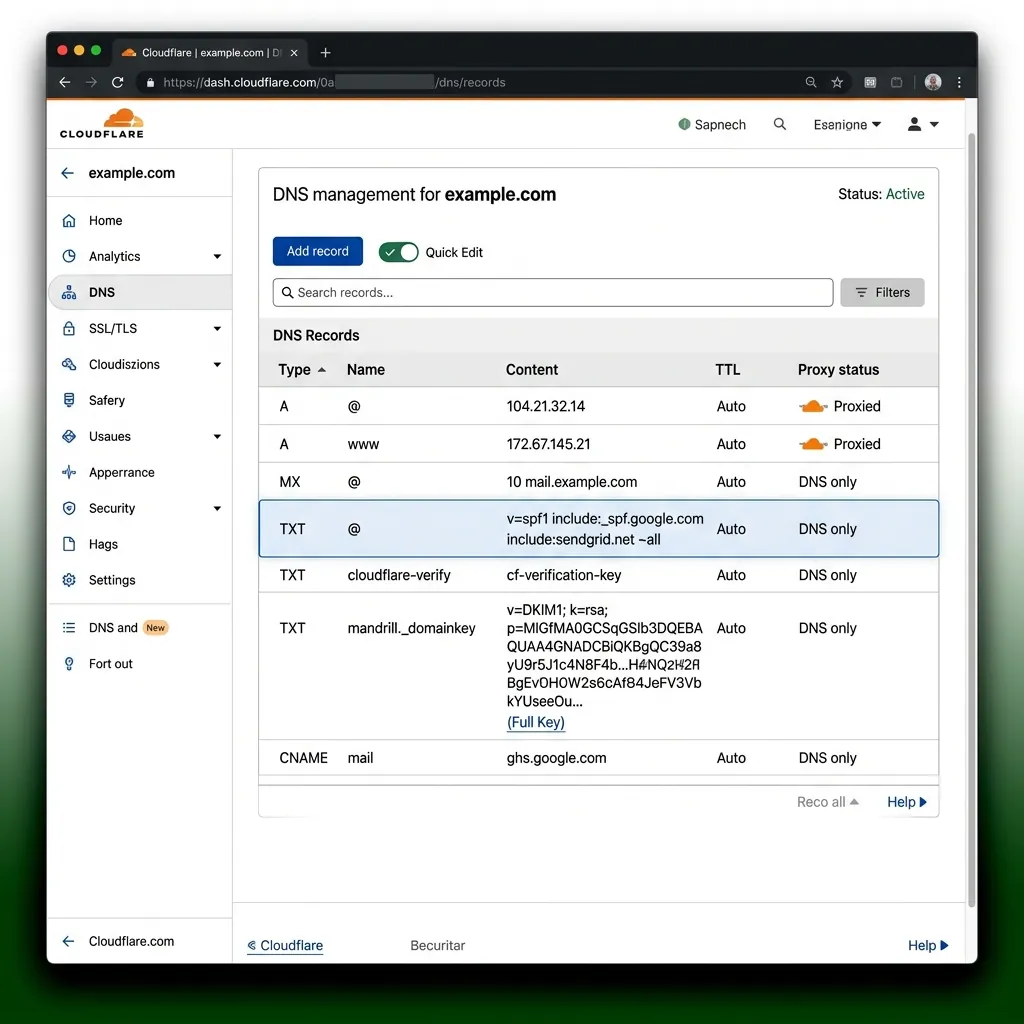
DNS Manager showing required SPF, DKIM, and DMARC authentication TXT records.
1. SPF TXT Record
Type: TXT | Name: @ | Content: v=spf1 include:zoho.com ~all2. DMARC TXT Record
Type: TXT | Name: _dmarc | Content: v=DMARC1; p=none; sp=none;Free Custom Email Service Comparison
| Provider | Zoho Mail Free | Cloudflare + Gmail | Google Workspace |
|---|---|---|---|
| Monthly Cost | $0 / Forever | $0 / Forever | $6 - $12 / User / Mo |
| Custom Users Allowed | 5 Custom Users | Unlimited Aliases | Per-seat pricing |
| Credit Card Required? | NO | NO | YES |
| Storage Capacity | 5 GB per user | Uses Gmail 15GB | 30 GB |
Frequently Asked Questions (FAQs)
Can I use a free subdomain like .is-a.dev for custom email?
Yes! As long as you can configure MX and TXT records on your domain's DNS manager, you can run free custom emails on any subdomain.
Will my free custom emails land in spam?
No. Configuring your SPF, DKIM, and DMARC TXT records as shown in Step 3 ensures 100% email deliverability into primary inboxes.
Final Verdict
Using Zoho Mail Free Tier or Cloudflare Email Routing gives you enterprise-grade professional custom email addresses for $0. Save $72+ per user every year while maintaining a professional online presence.
Disclaimer: This article is strictly for educational purposes and does not constitute technical or financial advice. Always adhere to platform usage terms.