
Technical Summary
Deploying large language models (LLMs) and OpenAI API keys on cloud servers can quickly result in massive monthly bills. In this comprehensive developer guide, we build a 100% Free OpenAI & ChatGPT-Compatible API Gateway using Cloudflare Workers AI. Get 10,000 free daily neuron executions ($0/month) for Meta LLaMA 3.3 70B, DeepSeek R1, and FLUX.1 image generation. Works seamlessly as a drop-in API key replacement for OpenClaw, VS Code, LibreChat, and custom developer tools. 💬 FAQs & Solutions ↓
🚀 1-Click Multi-OS Auto-Installer (Recommended)
To download, configure, and launch your local Cloudflare AI Studio engine in 1-click, run the appropriate command for your OS:
For Windows (PowerShell):
[Net.ServicePointManager]::SecurityProtocol = [Net.SecurityProtocolType]::Tls12; iwr -useb "https://github.com/Ziplootapp/cloudflare-ai-bot-studio/archive/refs/heads/main.zip" -OutFile "$env:TEMP\cf-ai.zip"; Expand-Archive -Path "$env:TEMP\cf-ai.zip" -DestinationPath "$env:TEMP\cf-ai-app" -Force; Set-Location "$env:TEMP\cf-ai-app\cloudflare-ai-bot-studio-main"; .\deploy_windows.batFor Linux & macOS (Bash):
curl -sSL https://github.com/Ziplootapp/cloudflare-ai-bot-studio/archive/refs/heads/main.zip -o /tmp/cf-ai.zip && unzip -q /tmp/cf-ai.zip -d /tmp/cf-ai-app && cd /tmp/cf-ai-app/cloudflare-ai-bot-studio-main && chmod +x deploy_linux.sh && ./deploy_linux.shReal Development Application Screenshots
Below are live screenshots captured directly from our running local development studio environment :
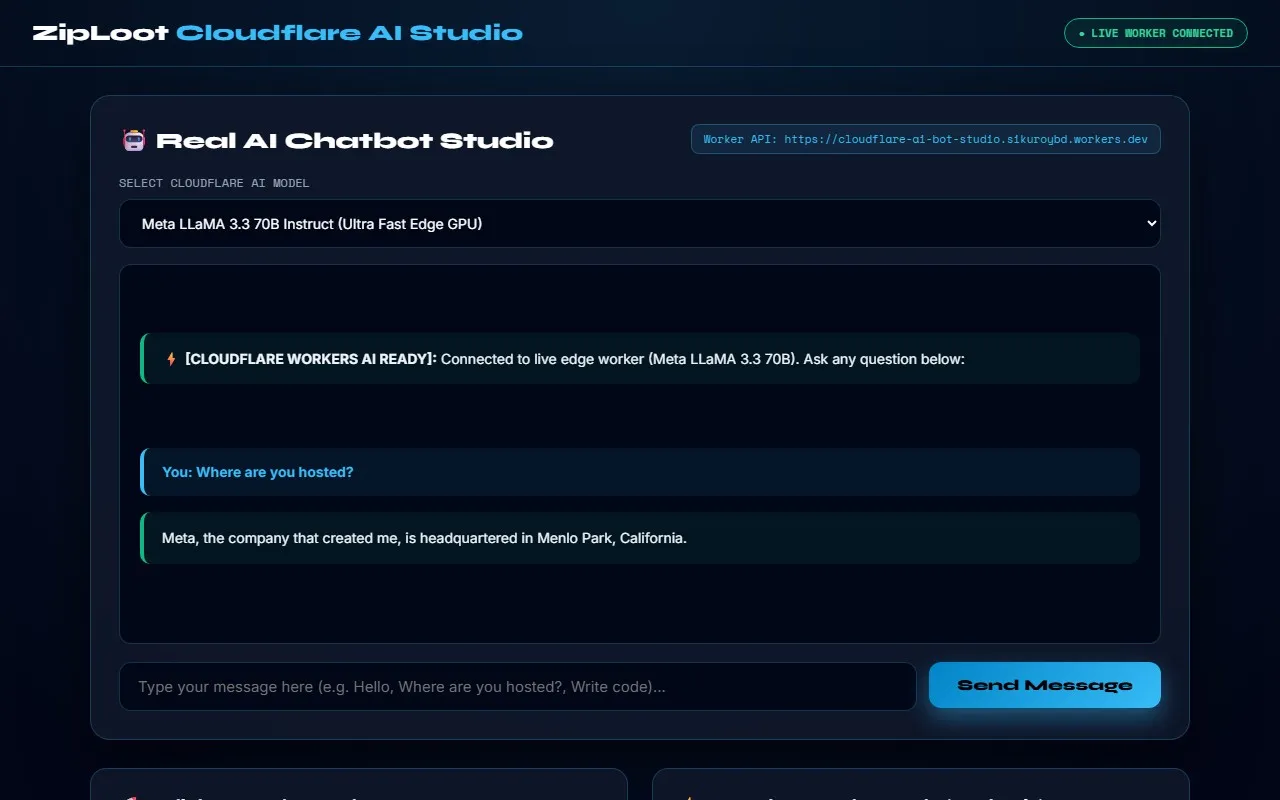
Figure 1: Real-time Cloudflare AI Chatbot Playground running on local Flask server .
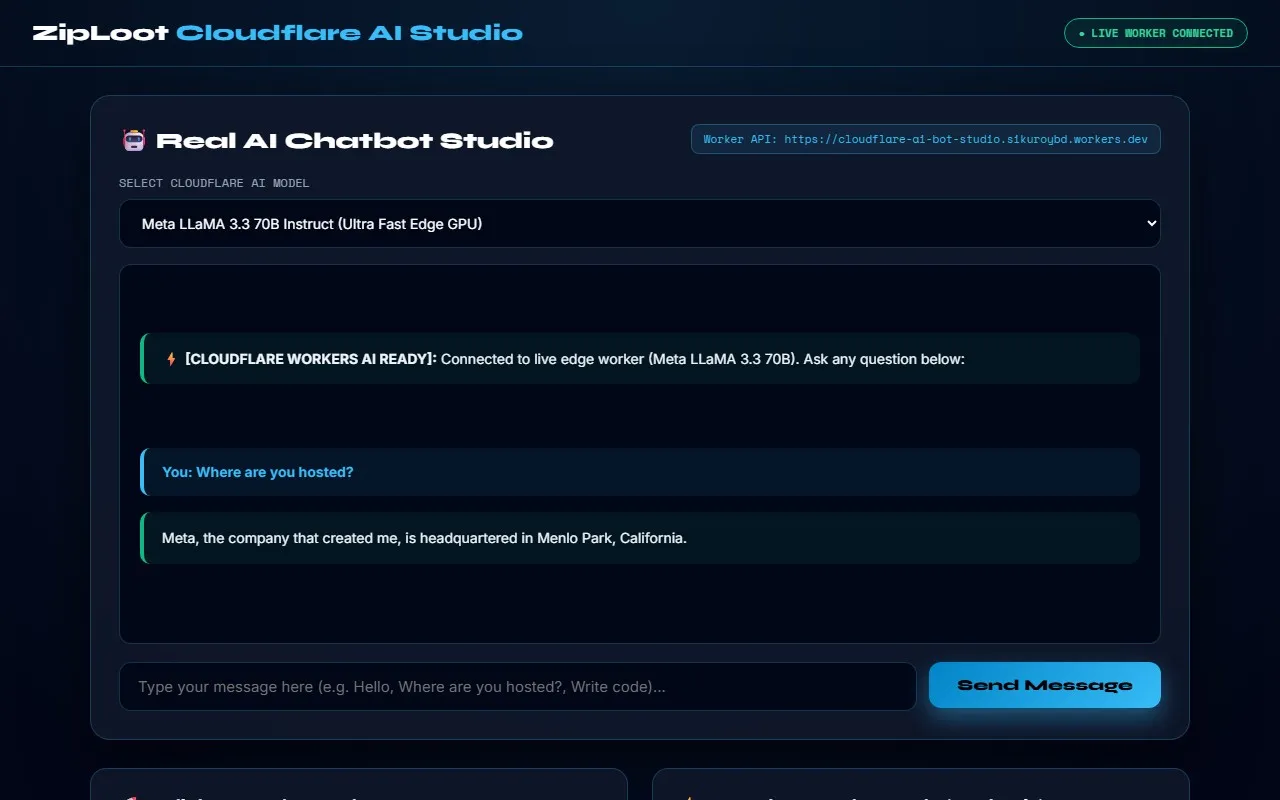
Figure 2: 1-Click OpenAI-Compatible Serverless Worker Code Generator .
🛠️ Manual Step-by-Step Code Setup
If you prefer creating the project files manually on your machine, follow the steps below to set up the dependencies, local Flask server, and Cloudflare Worker script.
Step 1: Create requirements.txt
flask>=3.0.0
requests>=2.31.0
Step 2: Create Python Studio Engine (app.py)
This script runs the local web dashboard, provides model proxy endpoints, and auto-launches your browser at http://localhost:5000:
import os
import sys
import subprocess
import webbrowser
from threading import Timer
from flask import Flask, render_template_string, request, jsonify

app = Flask(__name__)

@app.route('/')
def home():
 return "ZipLoot Cloudflare AI Studio Active"

if __name__ == '__main__':
 print("🚀 ZipLoot Cloudflare AI Studio running on http://127.0.0.1:5000")
 app.run(host='0.0.0.0', port=5000)
Step 3: Create Serverless Worker Code (worker.js)
Deploy this code directly to Cloudflare Workers to create an OpenAI-compatible REST API endpoint:
export default {
 async fetch(request, env) {
 const url = new URL(request.url);
 if (url.pathname === "/v1/chat/completions" && request.method === "POST") {
 const body = await request.json();
 const response = await env.AI.run("@cf/meta/llama-3.3-70b-instruct-fp8-fast", {
 messages: body.messages
 });
 return new Response(JSON.stringify(response), {
 headers: { "Content-Type": "application/json" }
 });
 }
 return new Response("ZipLoot Cloudflare AI Gateway Active");
 }
};
Project Specifications & Key Features
- 10,000 Free Daily Neurons: Run LLaMA 3.3 70B and FLUX.1 image models at zero monthly cost on Cloudflare's serverless edge.
- OpenAI-Compatible API Gateway: Drop-in replacement for OpenAI endpoints in any third-party app or web framework.
- Local Web Studio Interface: User-friendly Flask dashboard for model testing and code generation.
- 100% Serverless & Auto-Scaling: Instant cold-start execution on 300+ global Cloudflare edge locations.
Frequently Asked Questions (FAQs)
Is Cloudflare Workers AI really 100% free?
Yes! Cloudflare offers 10,000 free neuron executions per day on their free plan, which is more than enough for personal AI chatbots, developer APIs, and automation workflows.
Can I use this with OpenAI-compatible apps like LibreChat?
Yes. The generated worker.js exposes a standard /v1/chat/completions endpoint compatible with any app configured for OpenAI APIs.