Technical & Financial Summary
Paid monthly subscriptions are accumulating quickly: YouTube Premium costs between $13.99 and $15.99 per month ($167.88/year), while Meta's ad-free subscription for Facebook and Instagram costs $3.99 per month ($47.88/year). Switching to Brave Browser grants you full ad-free YouTube video streaming, mobile background audio playback, ad-free social media browsing, and built-in privacy protection—saving you over $200+ every year completely for $0 without hacks or paid extensions. 💬 FAQs & Solutions ↓
Key Financial & Technical Highlights
- Save $13.99/mo YouTube Premium: Zero pre-roll ads, zero mid-rolls, and zero unskippable video popups.
- Save $3.99/mo Meta Facebook Plus: Block sponsored feed posts, tracking pixels, and behavioral ad telemetry.
- Mobile Background Audio Playback: Play YouTube music and podcasts in the background on Android & iOS with screen locked.
- 3x Faster Load Speeds & 35% Battery Saving: Native C++ engine blocks ad network requests before TCP downloading.
- Brave Rewards (Earn BAT Crypto): Earn free Basic Attention Tokens (BAT) just for private opt-in background notifications.
Financial Breakdown: How Brave Saves You $200+ Yearly
Streaming platforms and social networks are locking basic ad-free browsing behind monthly paywalls. Here is the exact breakdown of how much money switching to Brave Browser saves you every month:
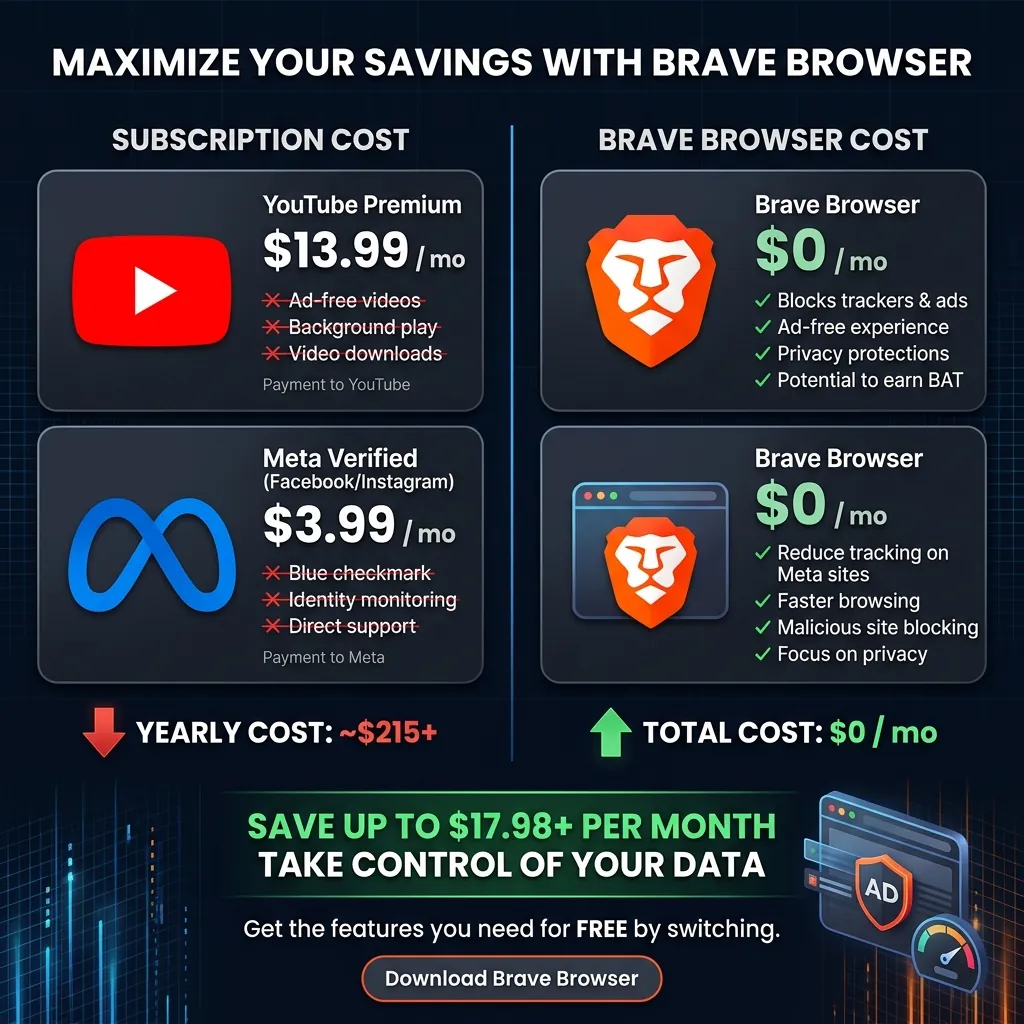
Annual savings comparison: Paid subscriptions vs 100% free Brave Browser.
- YouTube Individual Premium: $13.99 / month = $167.88 Saved per year
- Meta Facebook & IG Ad-Free: $3.99 / month = $47.88 Saved per year
- Total Annual Household Savings: $215.76 Saved per year for $0
Feature 1: Ad-Free YouTube & Mobile Background Playback
On mobile devices (Android & iOS), standard browser apps stop playing YouTube videos the moment you switch apps or turn off your smartphone screen. Brave includes native Background Playback:
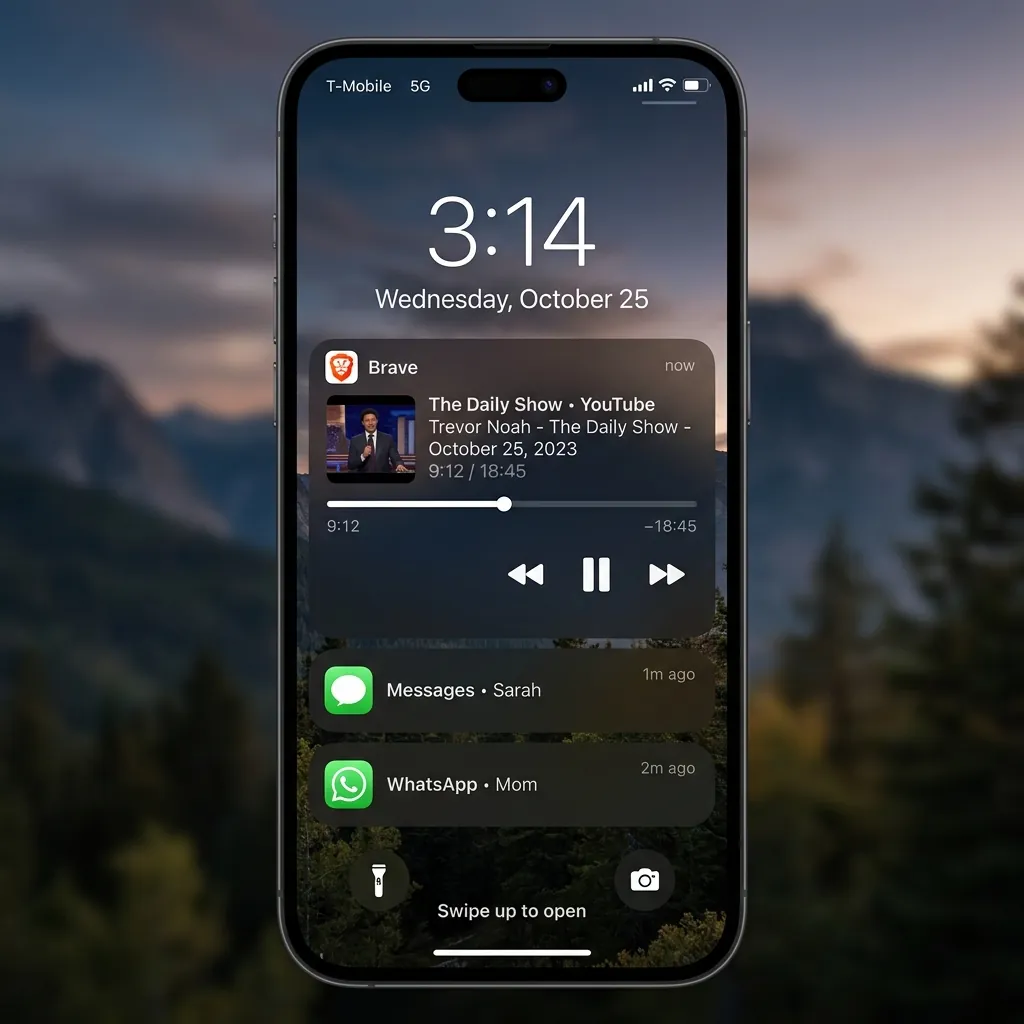
Brave mobile app playing YouTube audio in background with screen locked.
How to Enable Background Video Playback on Mobile:
- Open Brave Mobile App > Settings > Background Playback.
- Toggle the setting to ON and relaunch the app.
- Open YouTube, play any video or music podcast, and lock your phone screen. Audio will continue playing seamlessly!
Feature 2: Ad-Free Facebook & Instagram Browsing
Meta now charges users $3.99/month to remove ads from Facebook and Instagram feeds. Brave Shields automatically strips out sponsored posts, tracking scripts, and meta telemetry pixels, giving you a clean, ad-free social media feed for $0.
Feature 3: Native C++ Brave Shields (3x Faster Speeds)
Standard browser extensions (like AdBlock Plus) run JavaScript code inside the browser DOM after web pages begin downloading. Brave Shields is written directly in native C++ inside the core browser engine, blocking ad connections before TCP data packets are downloaded:
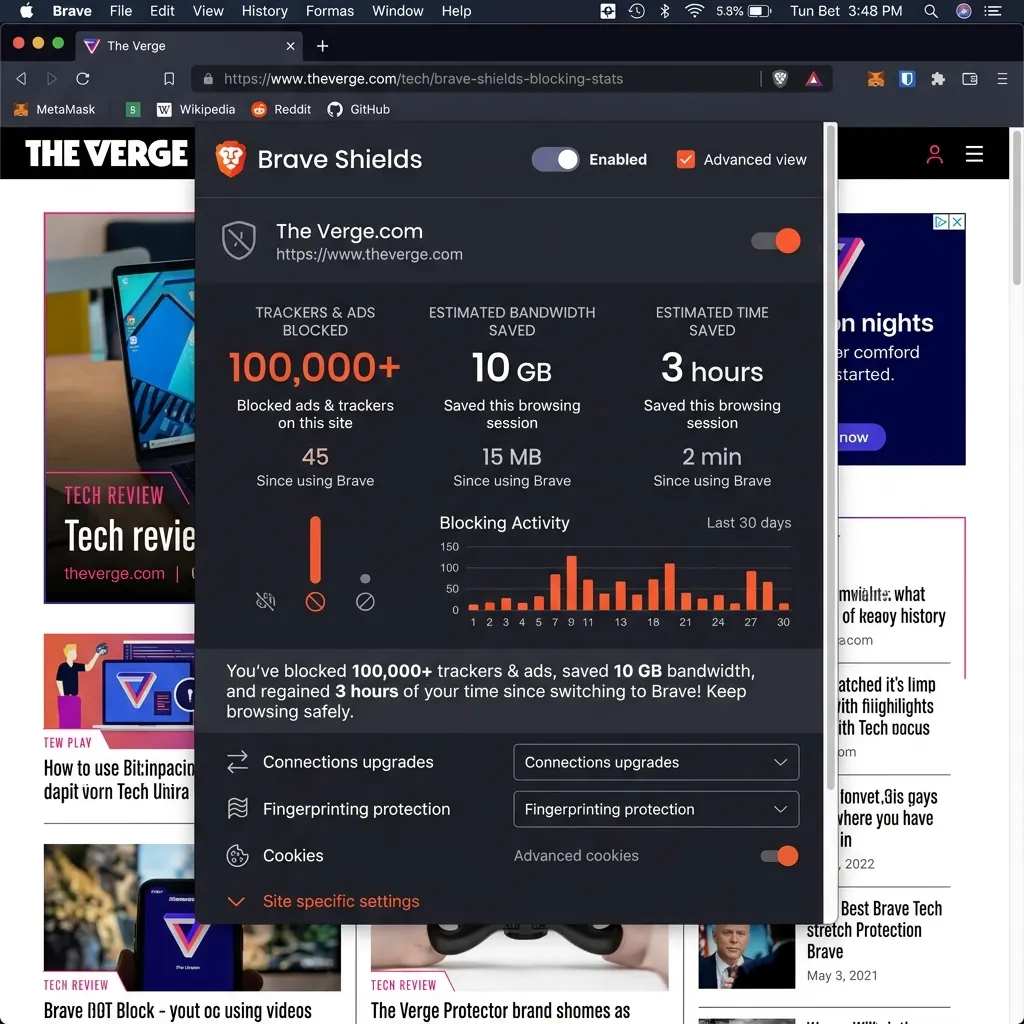
Brave Shields real-time telemetry: 100,000+ ads blocked, 10GB bandwidth saved.
Feature 4: Brave Rewards & Built-in Tor Private Windows
In addition to saving subscription money, Brave actually pays you to browse:
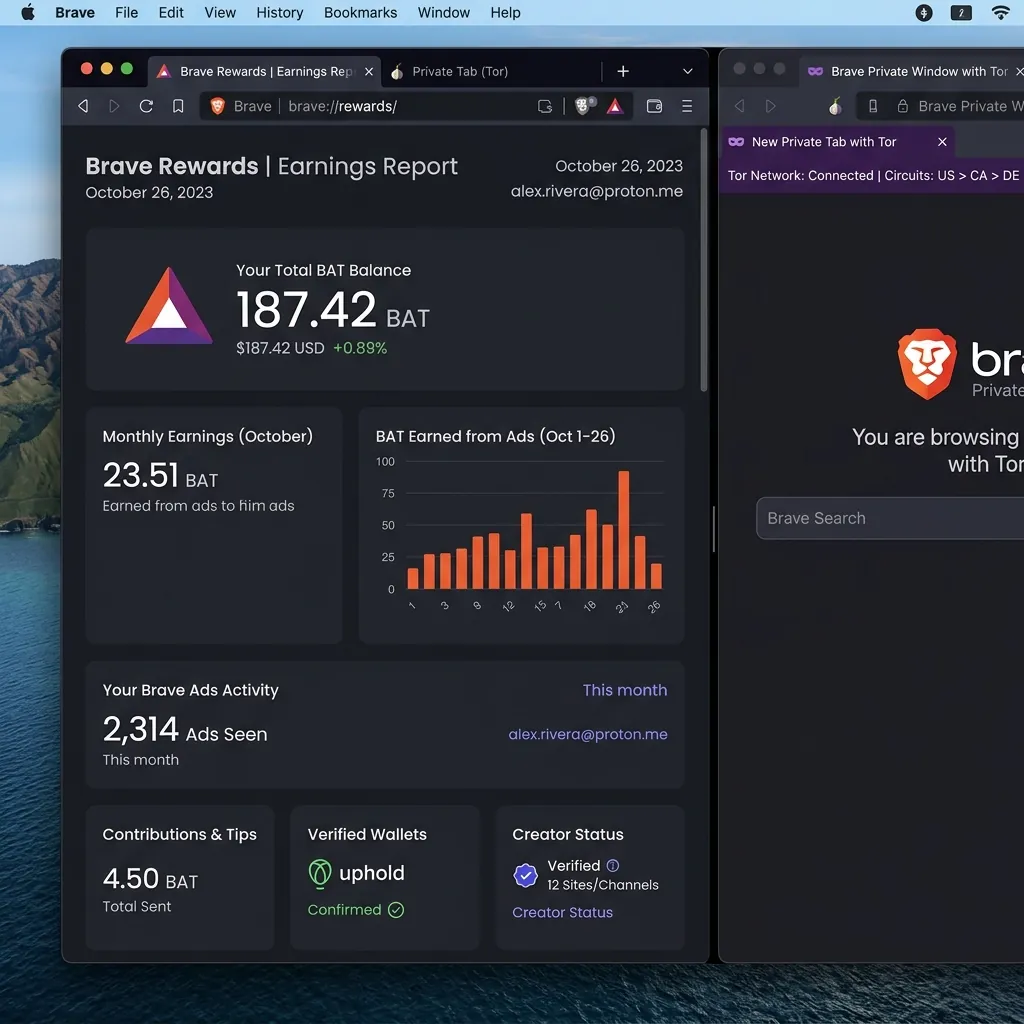
Brave Rewards BAT token wallet and Tor private onion routing integration.
- Earn BAT Tokens: Opt into private desktop notifications and earn Basic Attention Tokens (BAT) directly to your crypto wallet.
- Built-in Tor Private Windows: Open a private window with Tor to route your traffic through 3 encrypted nodes, hiding your public IP address completely.
Brave vs. YouTube Premium vs. Meta Paid Comparison
| Feature | Brave Browser | YouTube Premium | Meta Facebook Plus |
|---|---|---|---|
| Monthly Cost | $0 / Forever | $13.99 - $15.99 / mo | $3.99 / mo |
| Ad-Free YouTube | YES (100%) | YES | NO |
| Mobile Background Playback | YES (Built-in) | YES | NO |
| Earn Rewards (Crypto) | YES (BAT Tokens) | NO | NO |
Frequently Asked Questions (FAQs)
Can I import my Chrome bookmarks and passwords to Brave?
Yes. When installing Brave, select "Import from Chrome" to transfer all bookmarks, passwords, and browsing history in 1 click.
Is Brave Browser completely free?
Yes. Brave Browser is 100% open-source and free for Windows, macOS, Android, and iOS.
Final Verdict
By using Brave Browser, you eliminate over $200+ in annual subscription fees while securing faster page load speeds and complete privacy. Download Brave today to enjoy $0 ad-free browsing.
Disclaimer: This article is strictly for educational purposes and does not constitute technical or financial advice. Always adhere to platform usage terms.